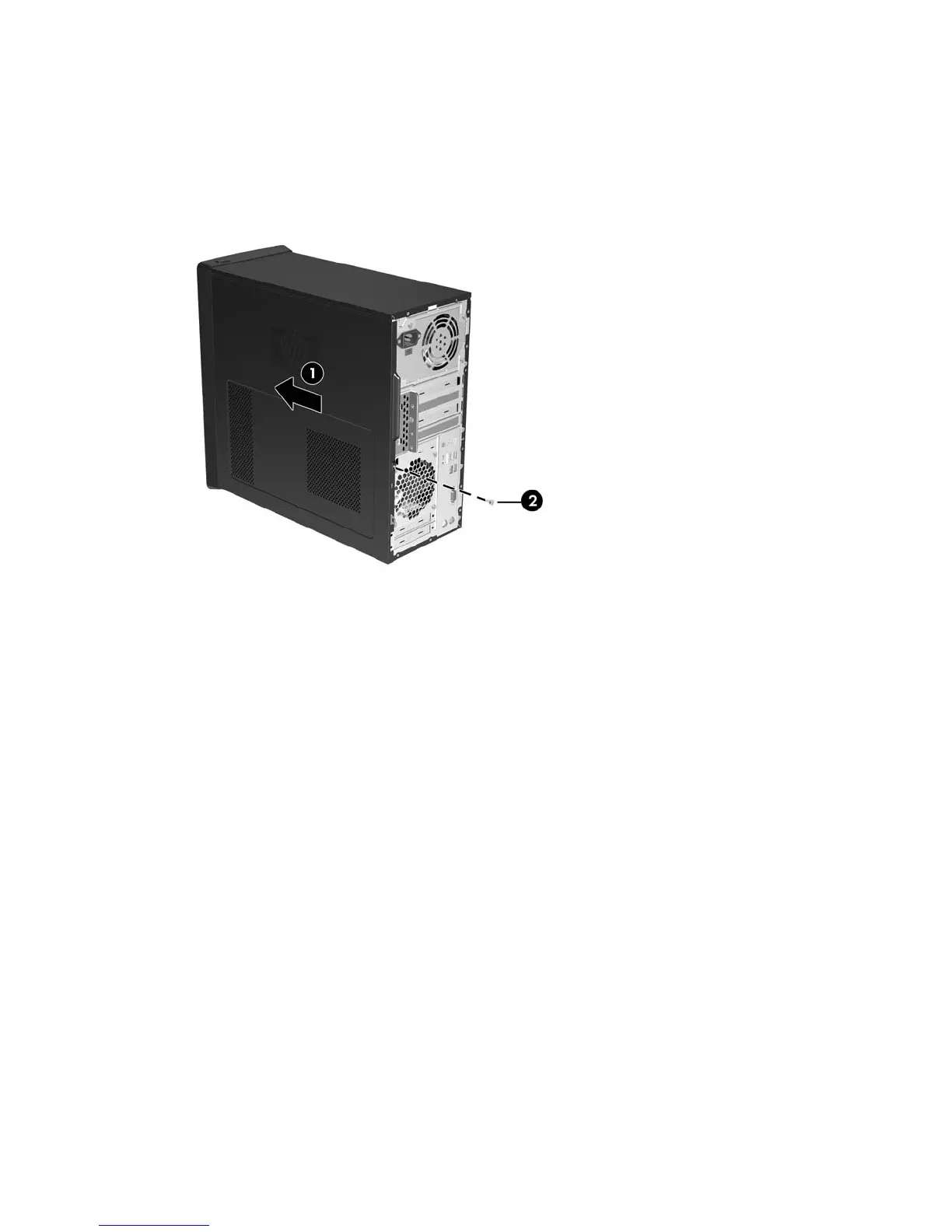
Replacing the Computer Access Panel
Place the access panel on the chassis with about 1.3 cm (1/2 inch) of the panel hanging off the back of
the chassis and slide it into place (1). Ensure that the hole for the screw is aligned with the hole in the
chassis and tighten the screw (2).
Figure 2-2 Replacing the Computer Access Panel
10 Chapter 2 Hardware Upgrades ENWW









 To Next Page