Removing Bezel Blanks
On some models, there are bezel blanks covering the 3.5-inch and 5.25-inch external drive bays that
need to be removed before installing a drive. To remove a bezel blank:
1. Remove the front bezel.
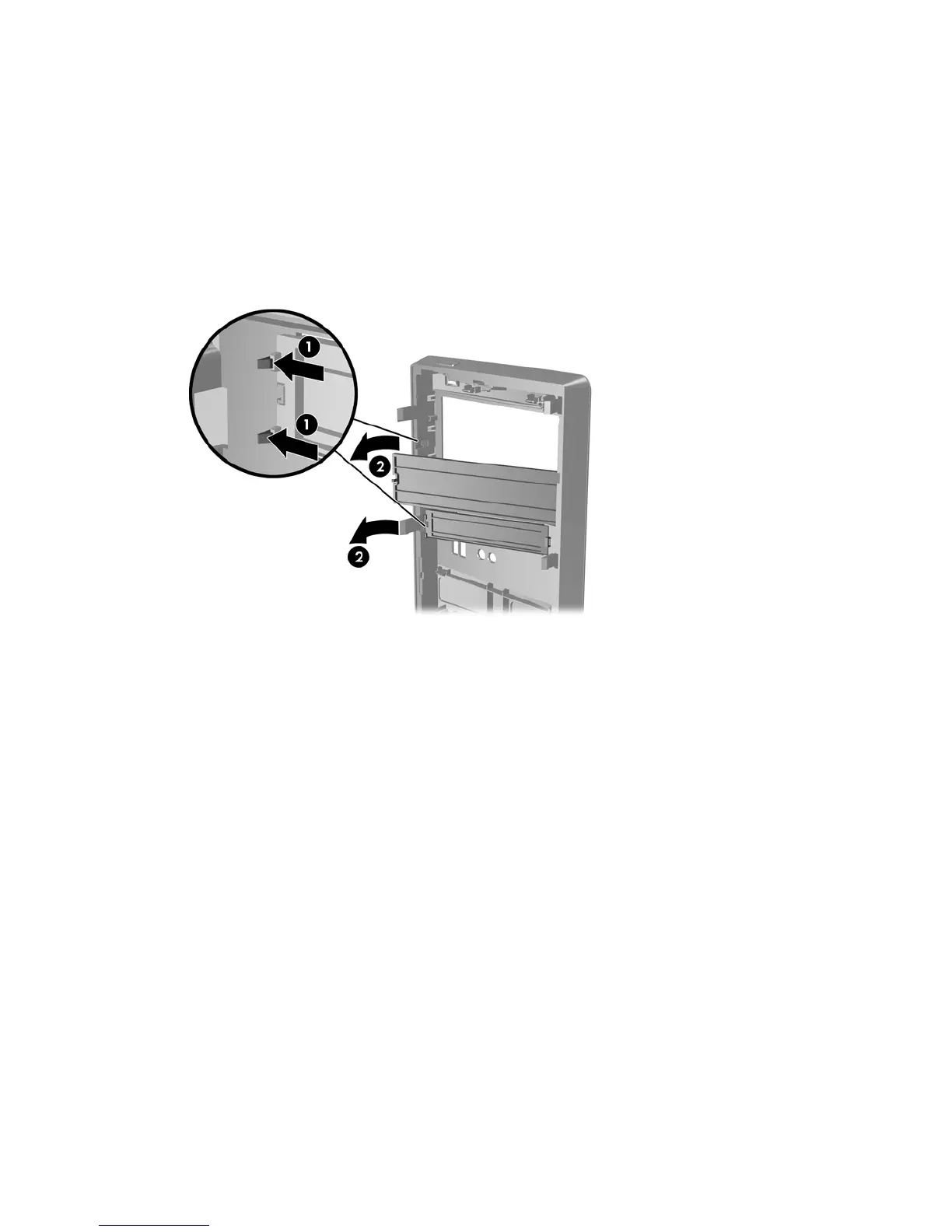
2. Press the two retaining tabs towards the outer left edge of the bezel (1) and pull the bezel blank
inwards to remove it (2).
Figure 2-4 Removing a Bezel Blank
3. Replace the front bezel.
12 Chapter 2 Hardware Upgrades ENWW









 To Next Page