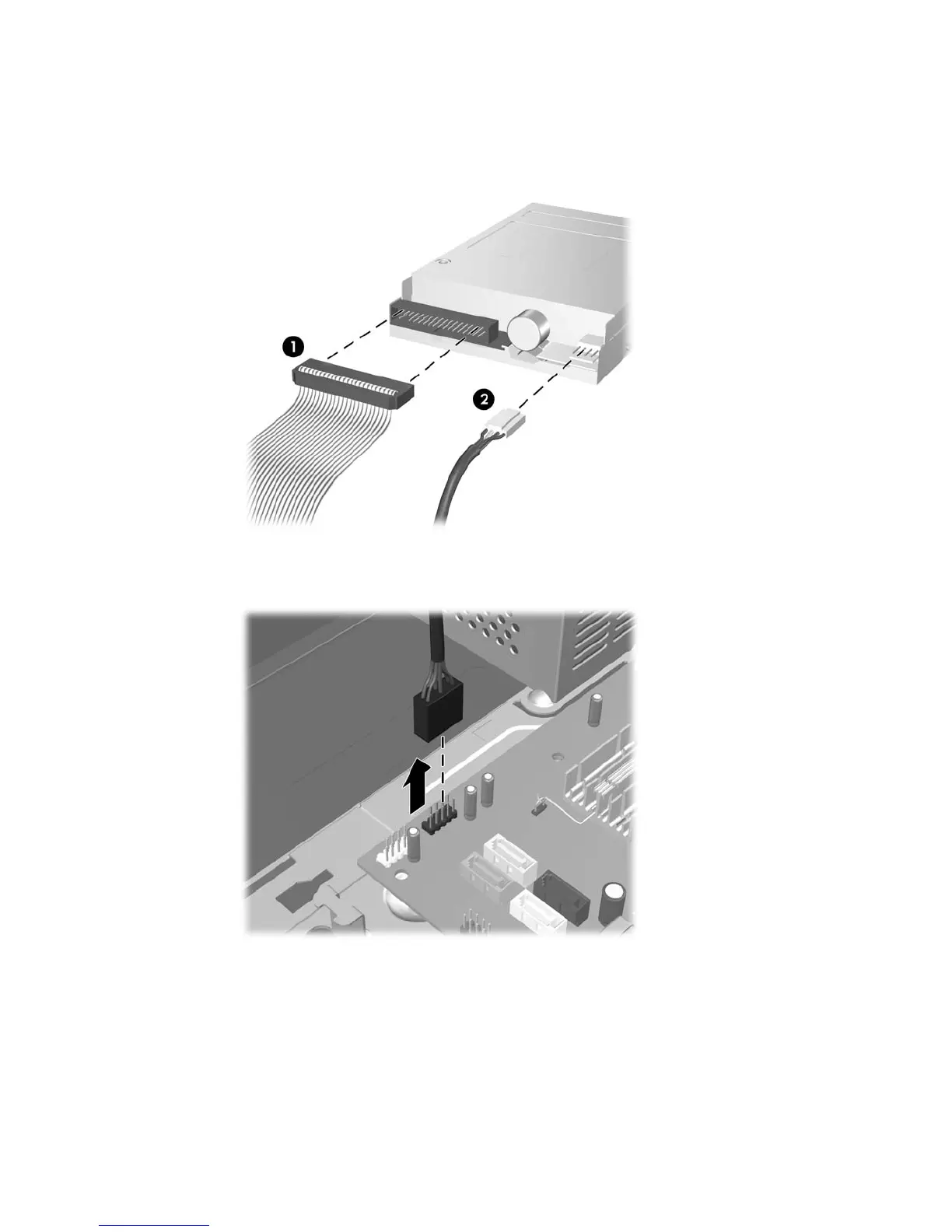
6. Disconnect the drive cables, as indicated in the following illustrations:
a. If you are removing a diskette drive, disconnect the data cable (1) and power cable (2) from
the back of the drive.
Figure 2-22 Disconnecting the Diskette Drive Cables
b. If you are removing a media card reader, disconnect the USB cable from the system board.
Figure 2-23 Disconnecting the Media Card Reader Cable
ENWW Installing Additional Drives 31









 To Next Page