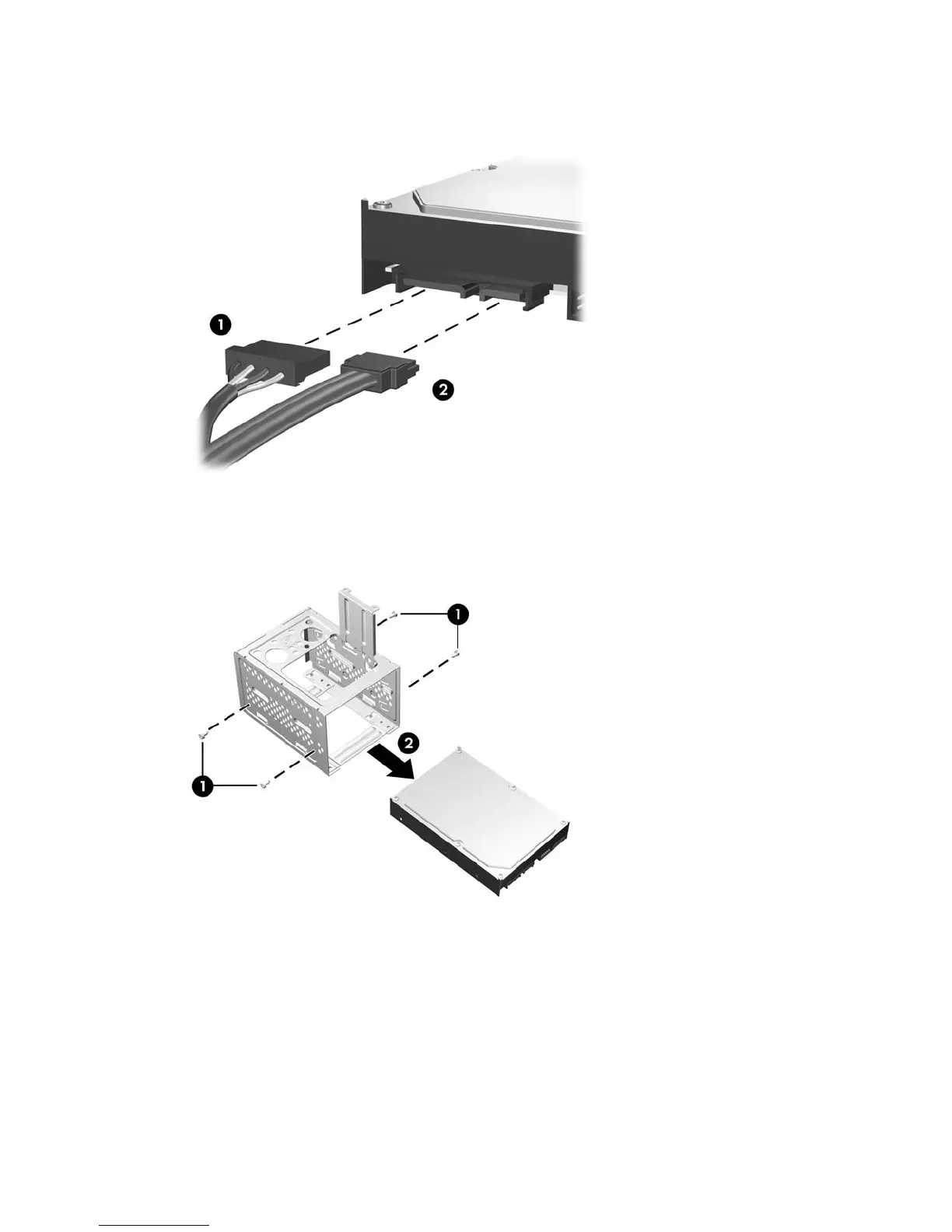
9. Disconnect the power cable (1) and data cable (2) from the back of the hard drive.
Figure 2-29 Disconnecting the Hard Drive Cables
10. Remove the four screws that secure the hard disk drive to the hard disk drive cage (1), then slide
the hard disk drive out of the hard disk drive cage (2).
Figure 2-30 Removing the Hard Drive
36 Chapter 2 Hardware Upgrades ENWW









 To Next Page