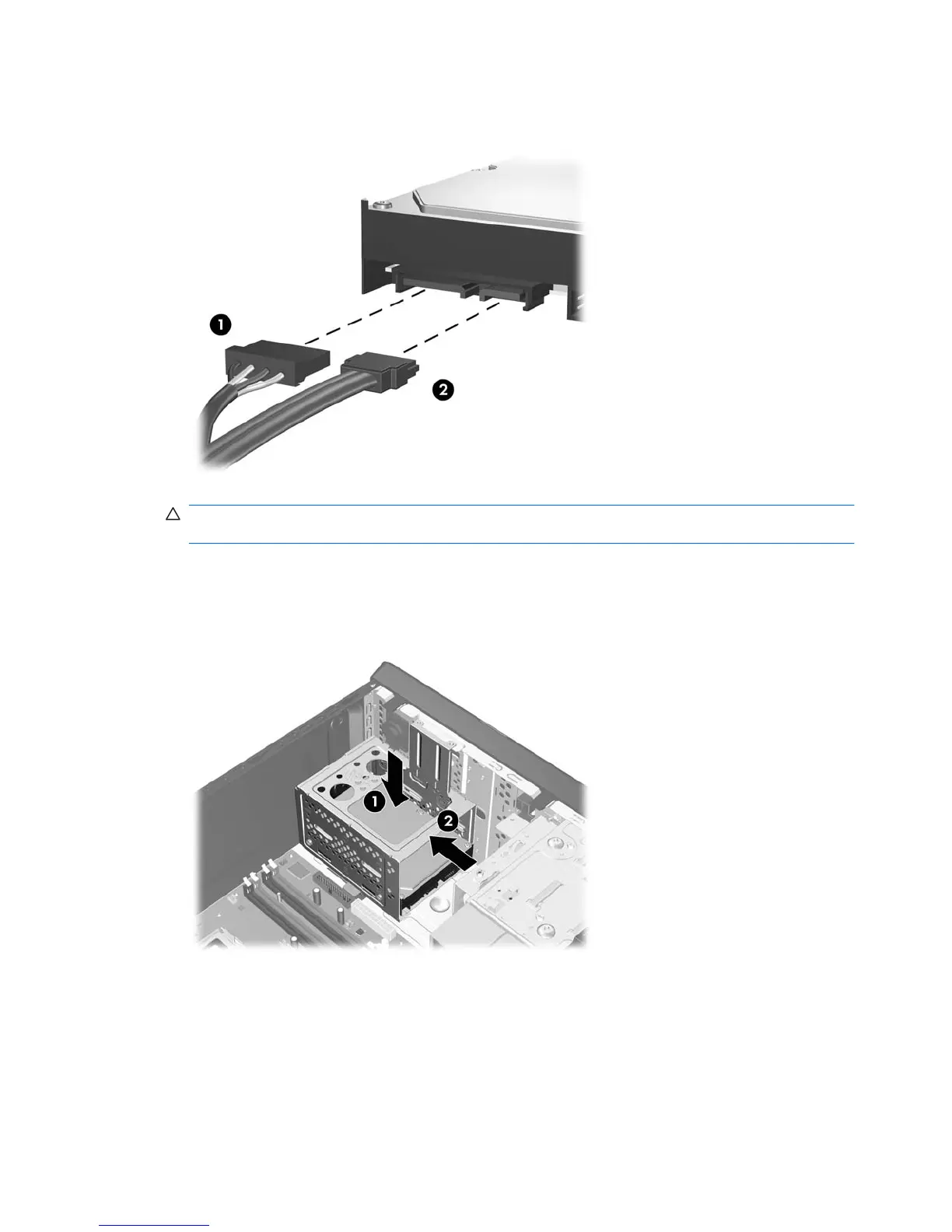
3. Connect the power cable (1) and data cable (2) to the back of the hard drive.
Figure 2-32 Connecting the Hard Drive Cables
CAUTION: Never crease or bend a SATA data cable tighter than a 30 mm (1.18 in) radius. A
sharp bend can break the internal wires.
4. Place the hard disk drive cage into the chassis (1), then slide it down toward the bottom of the
chassis until it locks into place (2).
Figure 2-33 Installing the Hard Drive Cage
38 Chapter 2 Hardware Upgrades ENWW









 To Next Page