e.
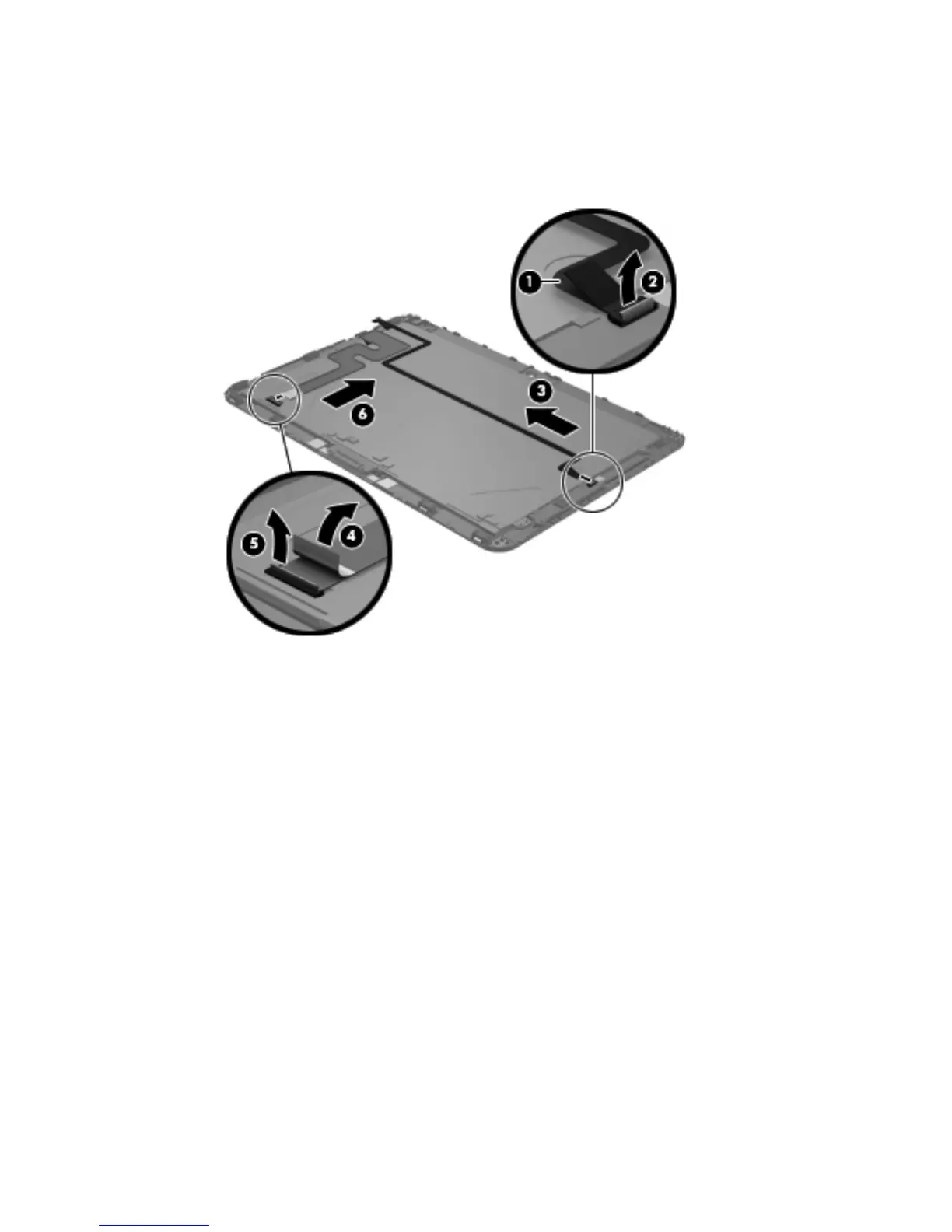
Release the ZIF connector (5) to which the display LVDS cable is attached, and then
disconnect the display LVDS cable (6) from the display assembly.
The TouchScreen and display LVDS cables are included in the Display Cable Kit, spare part
number 718758-001.
21. If it is necessary to replace the home button board and bracket:
a. Remove the two Phillips PM1.4×3.2 screws (1) that secure the home button board and
bracket to the display assembly.
b. Remove the home button board bracket (2).
32 Chapter 4 Removal and replacement procedures



 To Next Page