11b
Windows: Mac:
12
Windows:
Mac:
HP Deskjet F2200 All-in-One series • 7
12
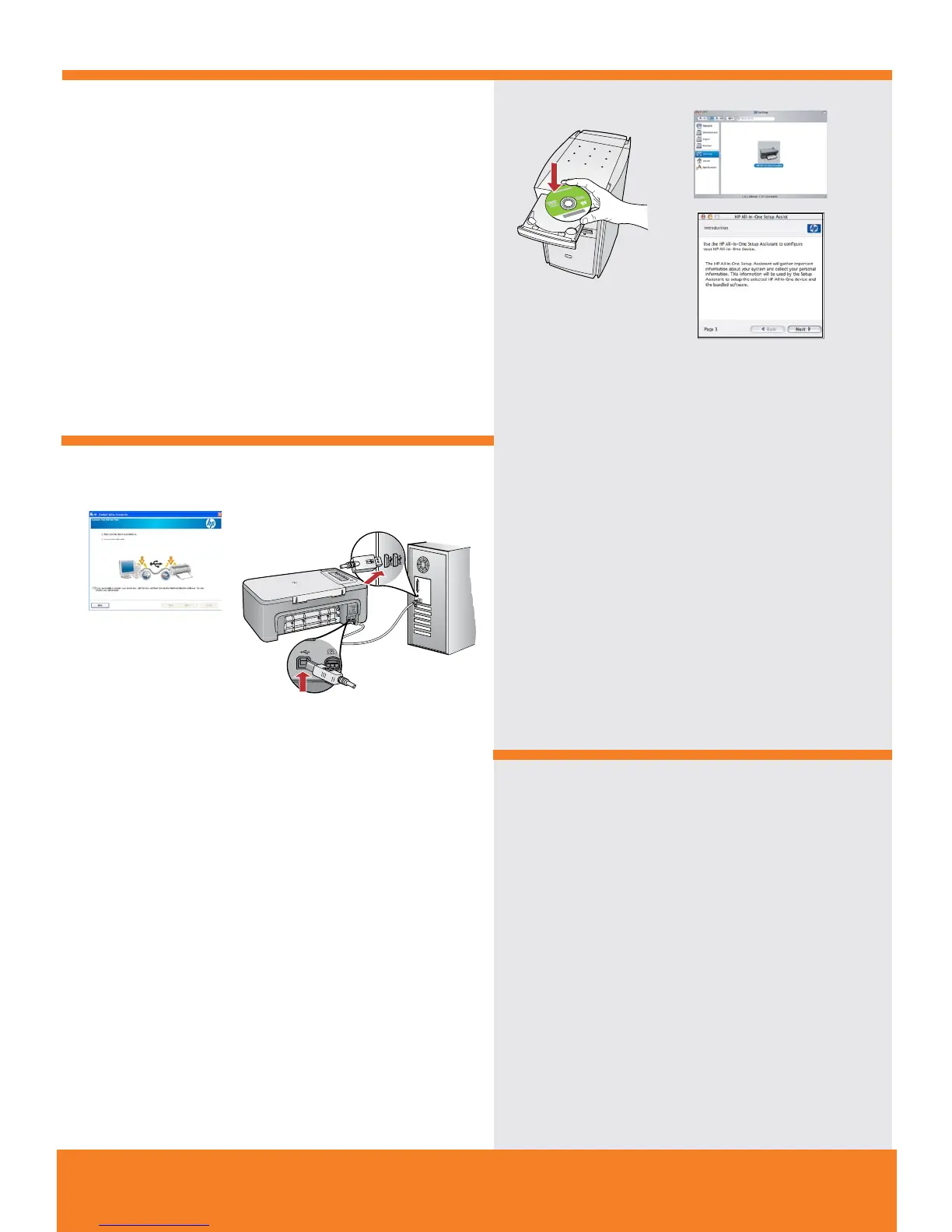
Mac: Masukkan CD perangkat lunak produk. Klik ganda
ikon HP All-in-One Installer. Ikuti semua petunjuk di layar.
Mac: Lengkapi layar Setup Assistant
[Bantuan Pemasangan].
Windows: Ikuti petunjuk di layar untuk menyelesaikan
penginstalan perangkat lunak.
Windows: Setelah perintah USB muncul, pasang kabel USB
ke port di bagian belakang produk, kemudian ke port USB
pada komputer.
Mac: ใส่ซีดีซอฟต์แวร์เครื่องพิมพ์ ดับเบิลคลิกที่ไอคอน
HP All-in-One Installer
ปฏิบัติตามคำสั่งที่ปรากฏบนหน้าจอ
Mac: ดำเนินการตามหน้าจอ Setup Assistant
(ตัวช่วยการติดตั้ง) จนเสร็จสมบูรณ์
Windows: ปฏิบัติตามคำแนะนำบนหน้าจอเพื่อดำเนินการติดตั้ง
ซอฟต์แวร์จนเสร็จสมบูรณ์
Windows: เมื่อมีข้อความแจ้งเกี่ยวกับสาย USB ปรากฏขึ้น ให้ต่อสาย
USB เข้ากับพอร์ตด้านหลังของเครื่องพิมพ์ จากนั้นต่อสายอีกด้านเข้า
กับพอร์ต USB พอร์ตใดก็ได้ของคอมพิวเตอร์
Windows: Follow the onscreen instructions to complete
the software installation.
Mac: Insert the product software CD. Double-click the
HP All-in-One Installer
icon. Follow the onscreen instructions.
Mac: Complete the Setup Assistant screen.
Windows: Once the USB prompt appears, connect the USB
cable to the port on the back of the product, and then to any
USB port on the computer.



 To Next Page