10
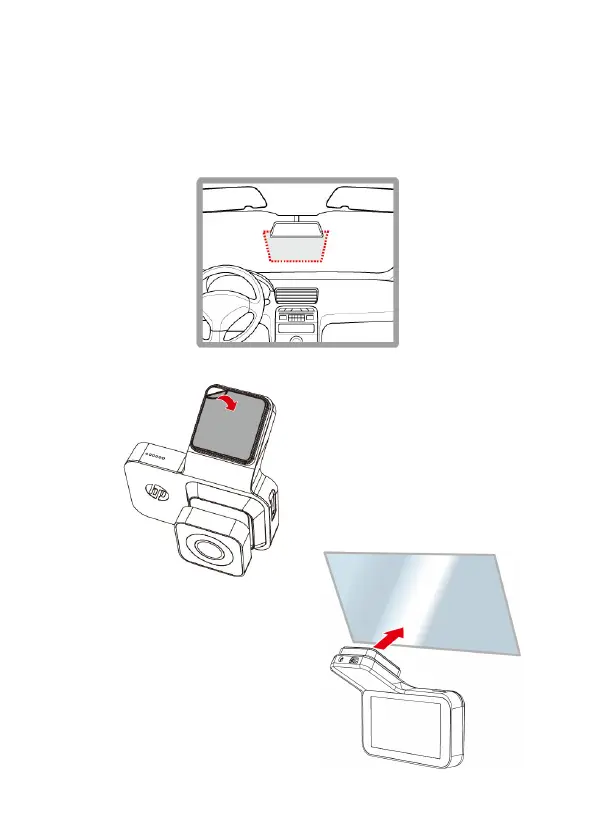
2.2 Install Camera
1. Put the electrostatic sticker onto the suggested area on the windshield.
Before putting the sticker, please wipe and clean the windshield.
During the installation, please make sure the bubbles in between the
sticker and the window are all gone.
2. Peel off the protective plastic sheet from the adhesive bracket.
3. Place and press the bracket firmly
onto the electrostatic sticker on the
windshield window. Make sure the
base is securely locked in place.



 To Next Page