EasyManua.ls Logo

HP HP-67 - Running a Prerecorded Program

HP HP-67
364 pages
Print Icon
To Next Page IconTo Next Page
To Previous Page IconTo Previous Page
Loading...
Meet
the
HP-67
17
As
you
will
see,
these
same
keystrokes
can
be
used
to
write
a
program
for
the
HP-67
that
will
solve
for
the
area
of
any
sphere.
But
first
let’s
look
at
a
prerecorded
program,
one
of
the
fifteen
in
the
Standard
Pac
shipped
with
your
calculator.
Running
a
Prerecorded
Program
The
Standard
Pac
shipped
with
your
calculator
contains
15
prere-
corded
magnetic
cards,
and
each
card
contains
a
program.
By
using
cards
from
the
Standard
Pac
(or
from
any
of
the
optional
application
pacs,
available
in
areas
like
finance,
statistics,
mathematics,
engi-
neering,
or
medicine)
you
can
use
your
HP-67
to
perform
extremely
complex
calculations
just
by
following
the
cookbook-style
directions
in
each
pac. Let’s
try
running
one
of
these
programs
now.
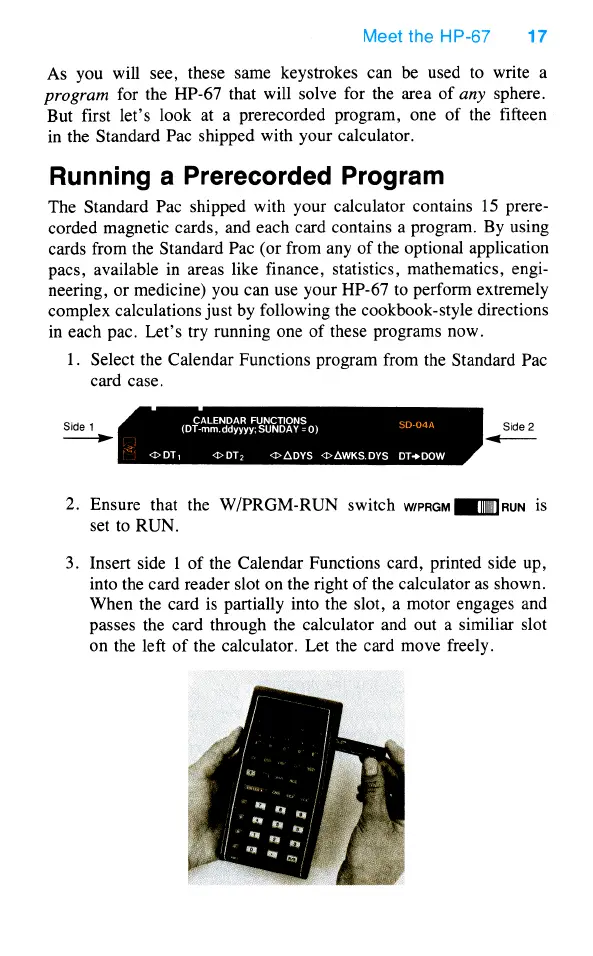
1.
Select
the
Calendar
Functions
program
from
the
Standard
Pac
card
case.
CALENDAR
FUNCTIONS
Side
1
(DT-mm.ddyyyy:
SUNDAY
=0)
Side
2
DT,
<>ADYS
<>AWKS.DYS
DT+DOW
fod
o)
)
2.
Ensure
that
the
W/PRGM-RUN
switch
werem
JiMIruN
is
set
to
RUN.
3.
Insert side
1
of
the
Calendar
Functions
card,
printed
side
up,
into
the
card
reader
slot
on
the
right
of
the
calculator
as
shown.
When
the
card
is
partially
into
the
slot,
a
motor
engages
and
passes
the
card
through
the
calculator
and
out
a
similiar
slot
on
the
left
of
the
calculator.
Let
the
card
move
freely.

Table of Contents

Other manuals for HP HP-67

Related product manuals