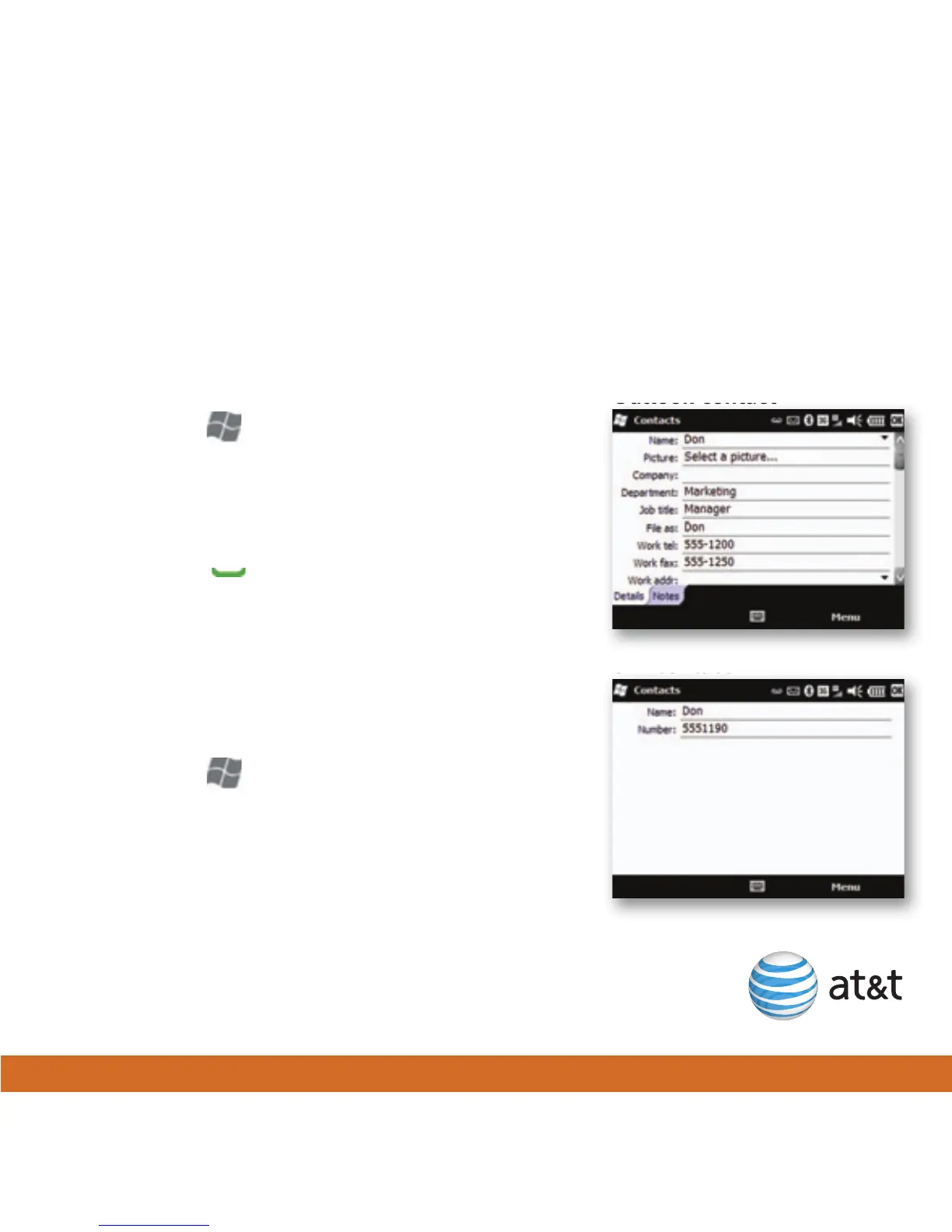
Outlook contact
SIM contact
15
You can add contacts to your phone and/or to your SIM card. A SIM contact is usually
limited to a name and one phone number. Outlook contacts on your phone can contain
detailed contact information and multiple numbers. You can also wirelessly synchronize
your Outlook contacts with your Microsoft® Exchange Server.
Add Outlook contact
1. Press Start , and then tap Contacts.
2. Tap New > Outlook Contact.
3. Enter contact information, and then tap OK.
Add a contact from a recent call
1. Press Send , and then tap the call.
2. Tap Save > New Contact.
3. Tap Outlook Contact or SIM Contact.
4. Enter contact name, any additional information,
and then tap OK.
Copy all SIM contacts to your phone
1. Press Start , tap Contacts > Menu >
Select Contacts > All.
2. Tap Menu > Copy Contact > To Contacts.
Note: You can only copy SIM contacts to your phone
using an AT&T 3G SIM card.
Add a contact





 To Next Page