94 | HP Jornada 540 Series User
’
s Guide
Resetting your HP Jornada
Occasionally, you may need to reset your HP Jornada; for example, you may
reset after you restore data from your desktop PC or when the operating
system stops responding. Resetting your HP Jornada is similar to restarting
your desktop PC. It restarts the operating system and preserves any saved
data, but you will lose any unsaved data.
Reset after restoring data from a backup file or when the HP Jornada appears
to be “frozen” or “locked up.”
When you reset, you lose unsaved data in all open documents or programs. Use
HP task switcher to close all open documents and programs. (In the Today
screen, tap the HP task switcher icon, and then tap Close Window and Close
All on the pop-up menu.)
To reset
1. Disconnect the sync cable or remove your HP Jornada from the
cradle.
2. Remove the CompactFlash card (if installed).
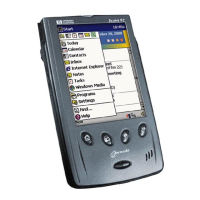
3. Use the stylus to press the Reset button on the back of the HP
Jornada, as shown in the following illustration.


 To Next Page
 Loading...