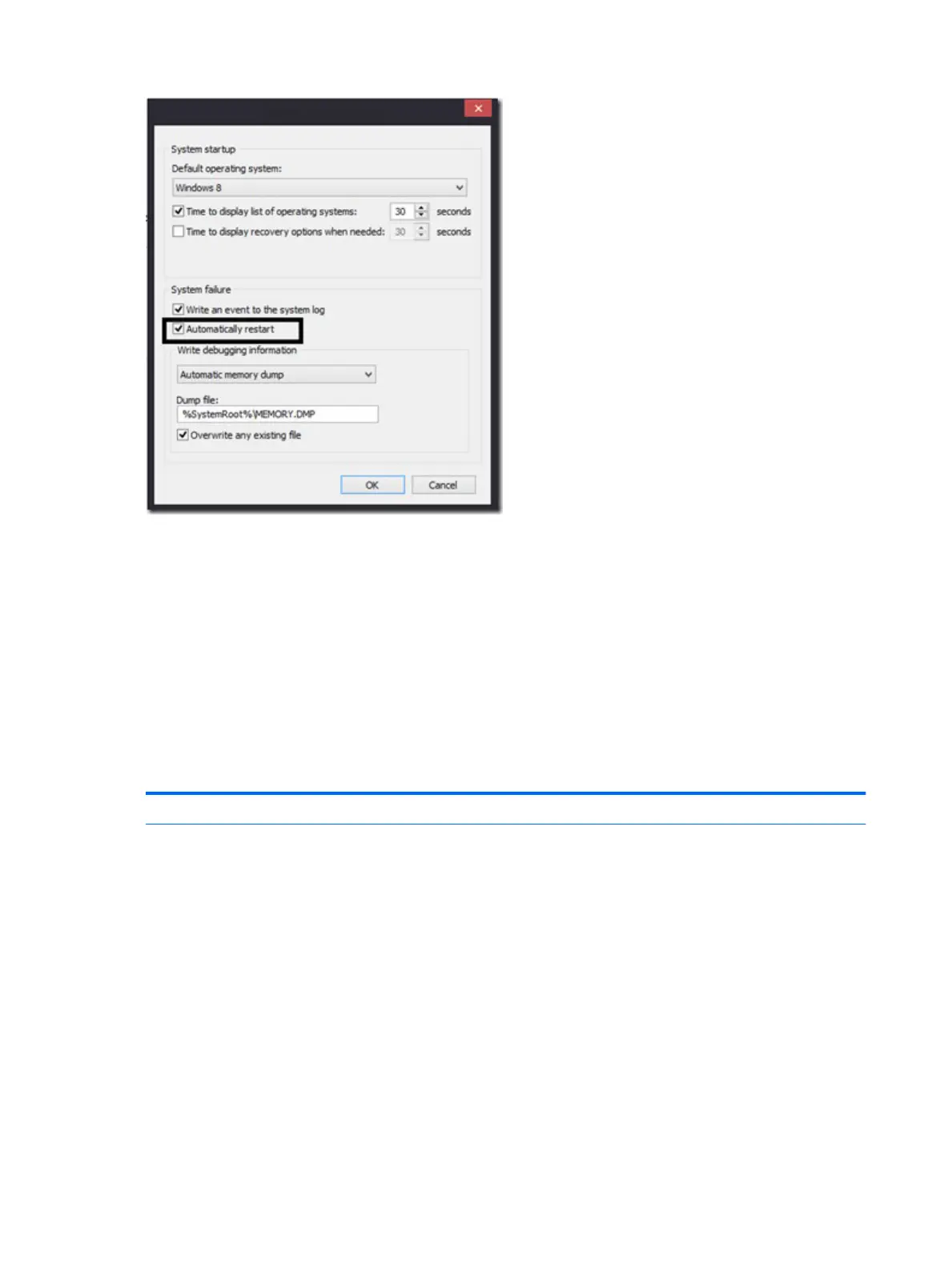
Windows Advanced Boot Option
Windows 7:
1. Press F8 to open the Windows Advanced Boot Option screen.
2. Select Disable automatic restart on system failure to view error messages.
Windows 8:
1. Press F11 (System Recovery) to open the Windows Advanced Boot Option screen.
2. Select Startup Settings to view error messages.
Freeze at Windows Logo (hang/lockup)
Symptoms
●
Has power, light activity, fan spinning
●
HP Logo displays briey
●
Attempt to boot to operating system and
freeze/hang at Windows logo
●
No response to pressing num lock or caps
lock key
Possible causes
Conict of instructions from multiple programs or drivers; installing a new hardware
or program that is not compatible (may also cause a blue screen error—see blue
screen issue).
114 Chapter 7 Troubleshooting guide





 To Next Page