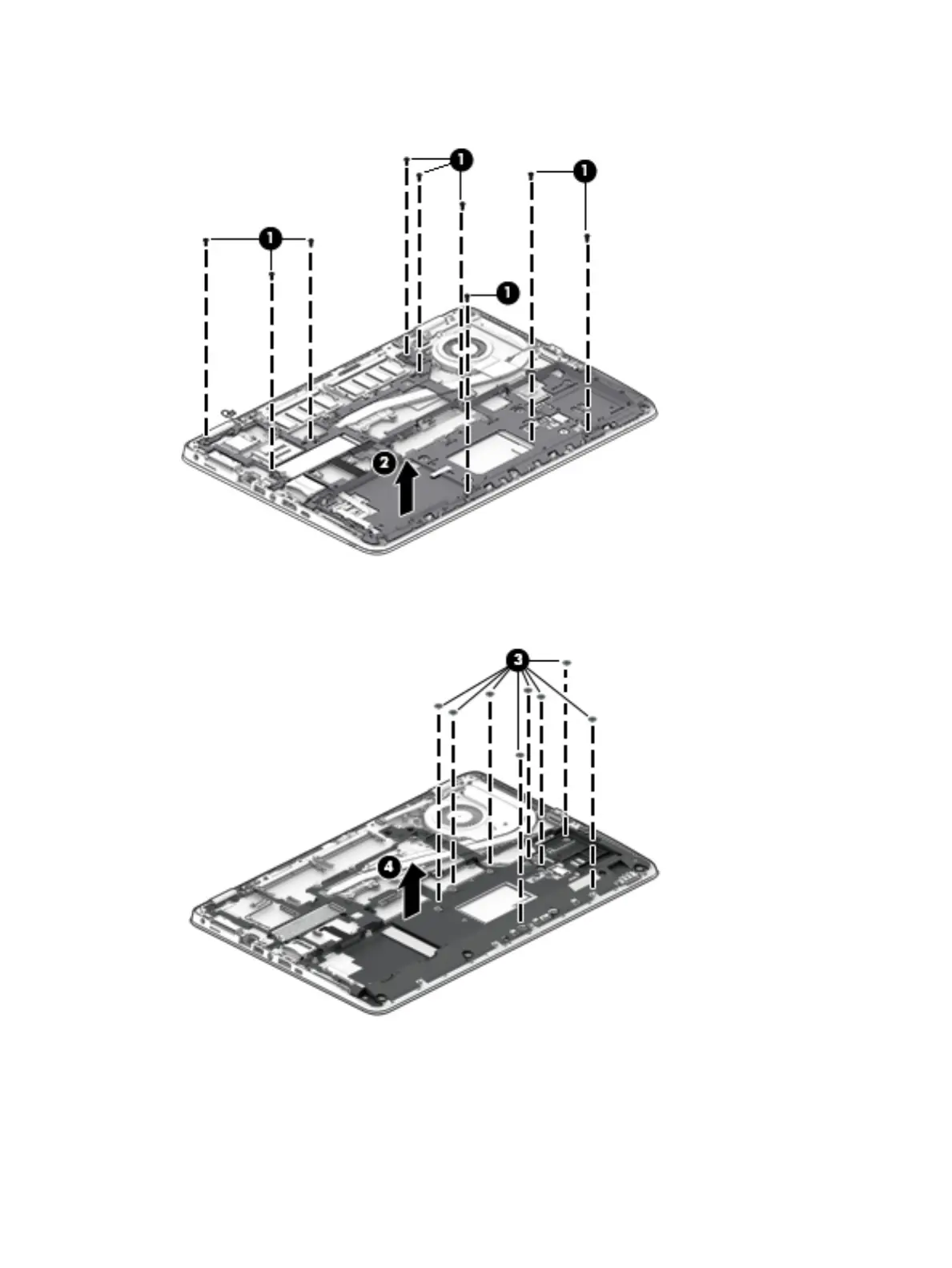
2. On 14” computers, remove 9 Phillips PM2.5x5.0 screws (1), and then remove the base plate from the
computer (2).
– or –
On 15” computers, remove 8 Phillips PM2.5x2.5 screws (3), and then remove the base plate from the
computer (4).
Reverse this procedure to install the internal base plate.
58 Chapter 6 Removal and replacement procedures for Authorized Service Provider parts








 To Next Page