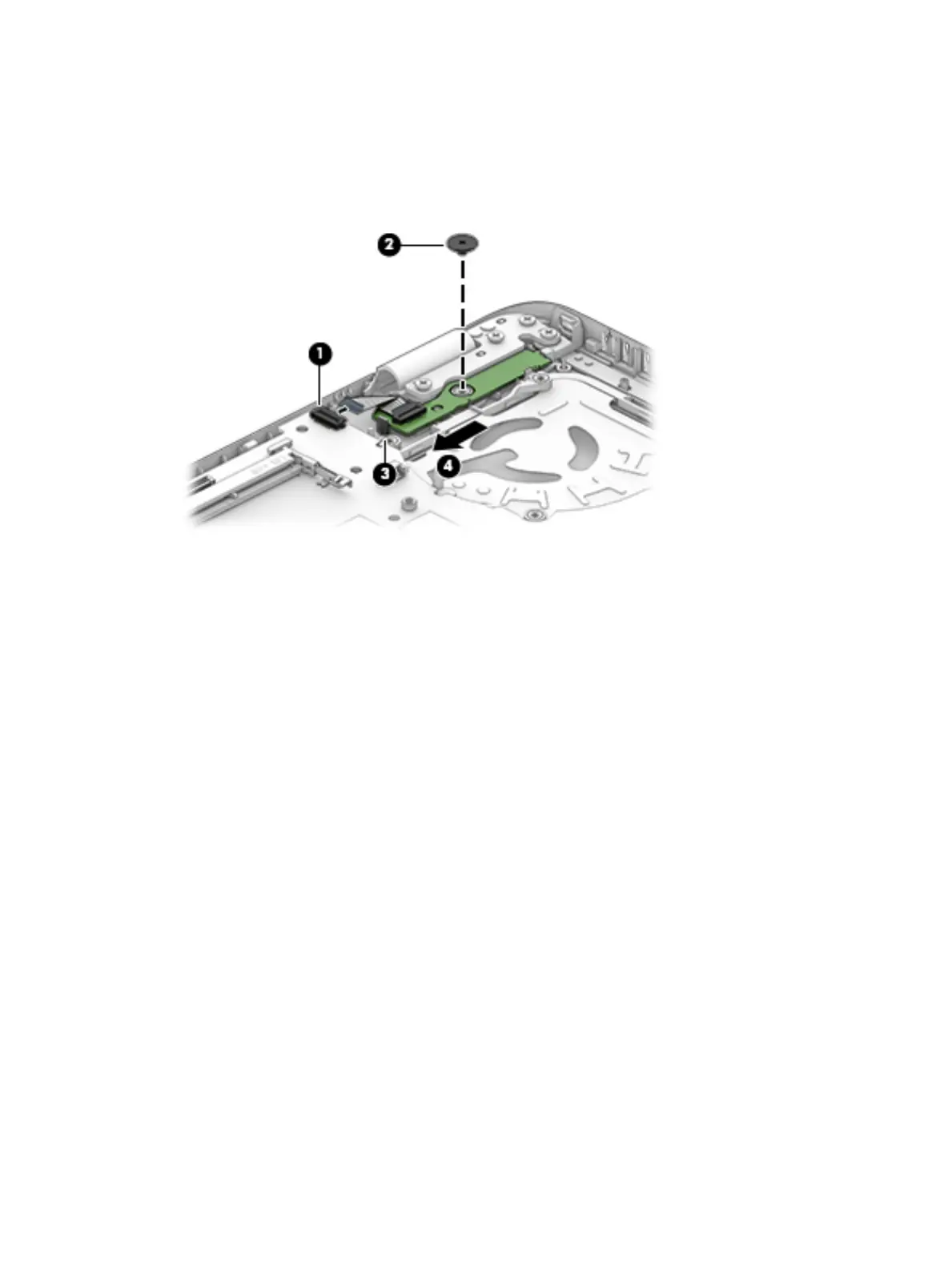
1. Disconnect the cable from the system board (1).
2. Remove the Phillips PM2.5×2.5 screw (2) that secures the power button board to the top cover.
3. Push the lever left (3).
4. Slide the power button board left from beneath the hinge (4).
Remove the power button board from a 15” computer:
1. Disconnect the cable from the system board (1).
2. Remove the Phillips PM2.5×2.5 screw (2) that secures the power button board to the top cover.
3. Remove the 3 Phillips PM2.5×5.0 screws (3) that secure the hinge to the top cover.
4. Lift the hinge (4).
64 Chapter 6 Removal and replacement procedures for Authorized Service Provider parts








 To Next Page