ENWW Status message bar 27
English
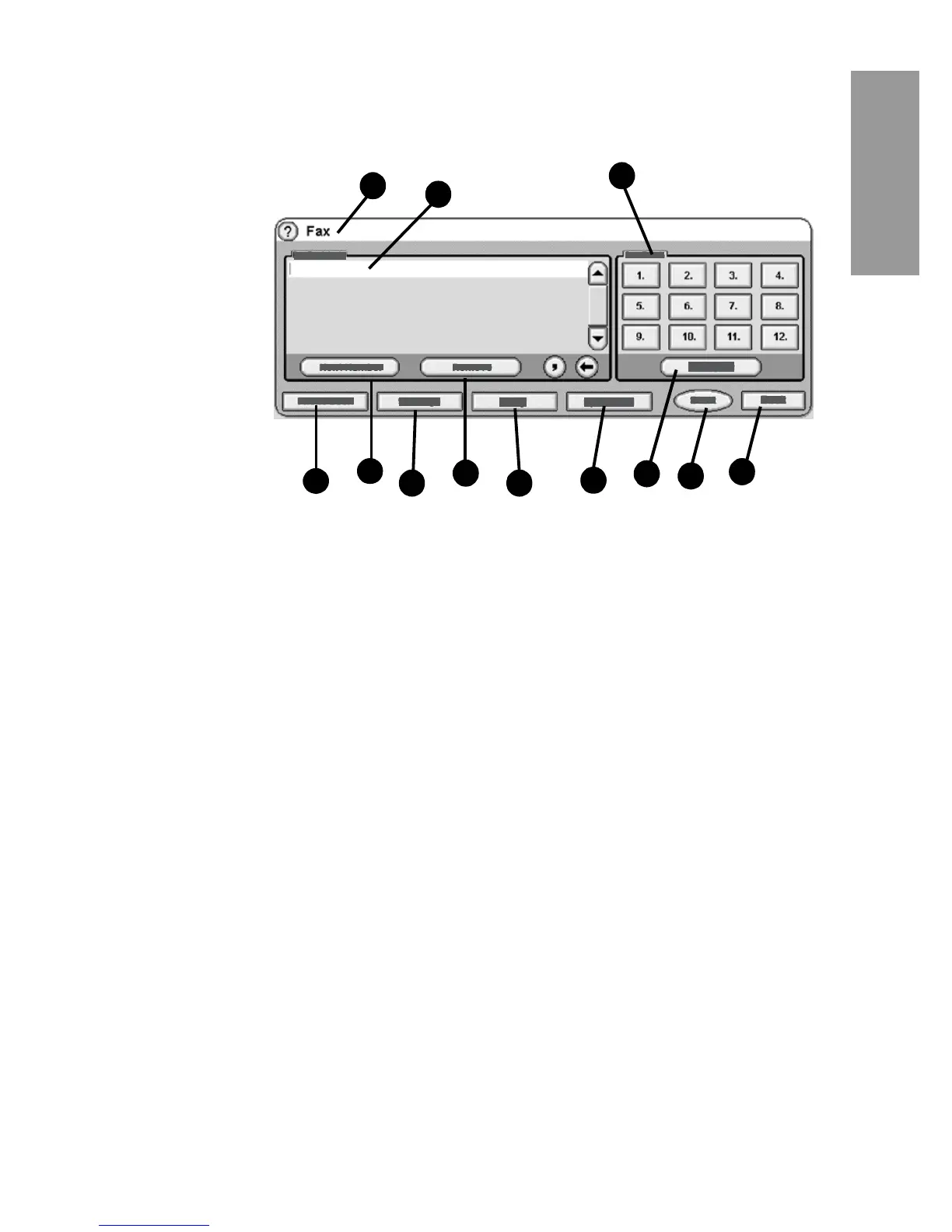
Fax feature screen for the HP LaserJet 4345mfp
and 4730mfp
Figure 2-2 Fax screen for the HP LaserJet 4345mfp and the 4730mfp
Status message bar
While sending and receiving faxes, status information will display in
the status bar located at the top of some touch screens. This status
includes such information as: Ready, Receiving call, Page sent,
and others.
1 Status Message Bar 7 Remove
2 Fax Recipients 8 Notify
3 One Touch keys 9 Speed Dial
4 Phone Book
* 10 Configure
5 Next Number 11 Start
6 Settings 12 Back
*- displays only if configured using HP MFP Digital Sending
Software Configuration Utility
4
6
7
8
12
3
9
10
5
11
2
1



 To Next Page