Print multiple pages per sheet (Windows)
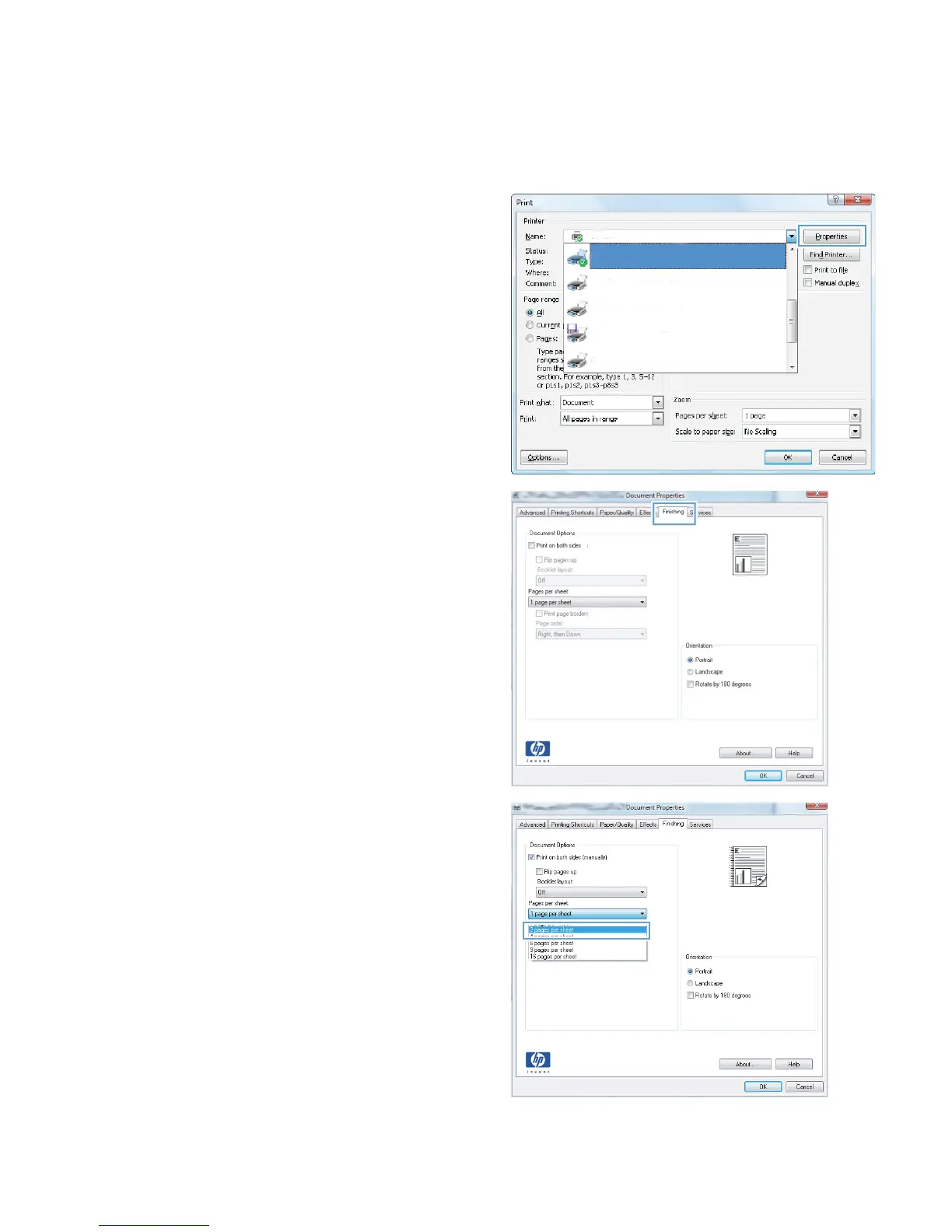
1. From the software program, select the Print
option.
2. Select the product, and then click the
Properties or Preferences button.
3. Click the Finishing tab.
4. Select the number of pages per sheet from the
Pages per sheet drop-down list.
ENWW
Print tasks (Windows)
57








 To Next Page