Scanner spring assembly
Before proceeding, remove the following components:
●
Scan bezel. See
Scan bezel on page 82.
●
Scan drive system. See
Scan drive system on page 84.
CAUTION: Perform these procedures in a dust-free environment.
Remove the scanner spring assembly
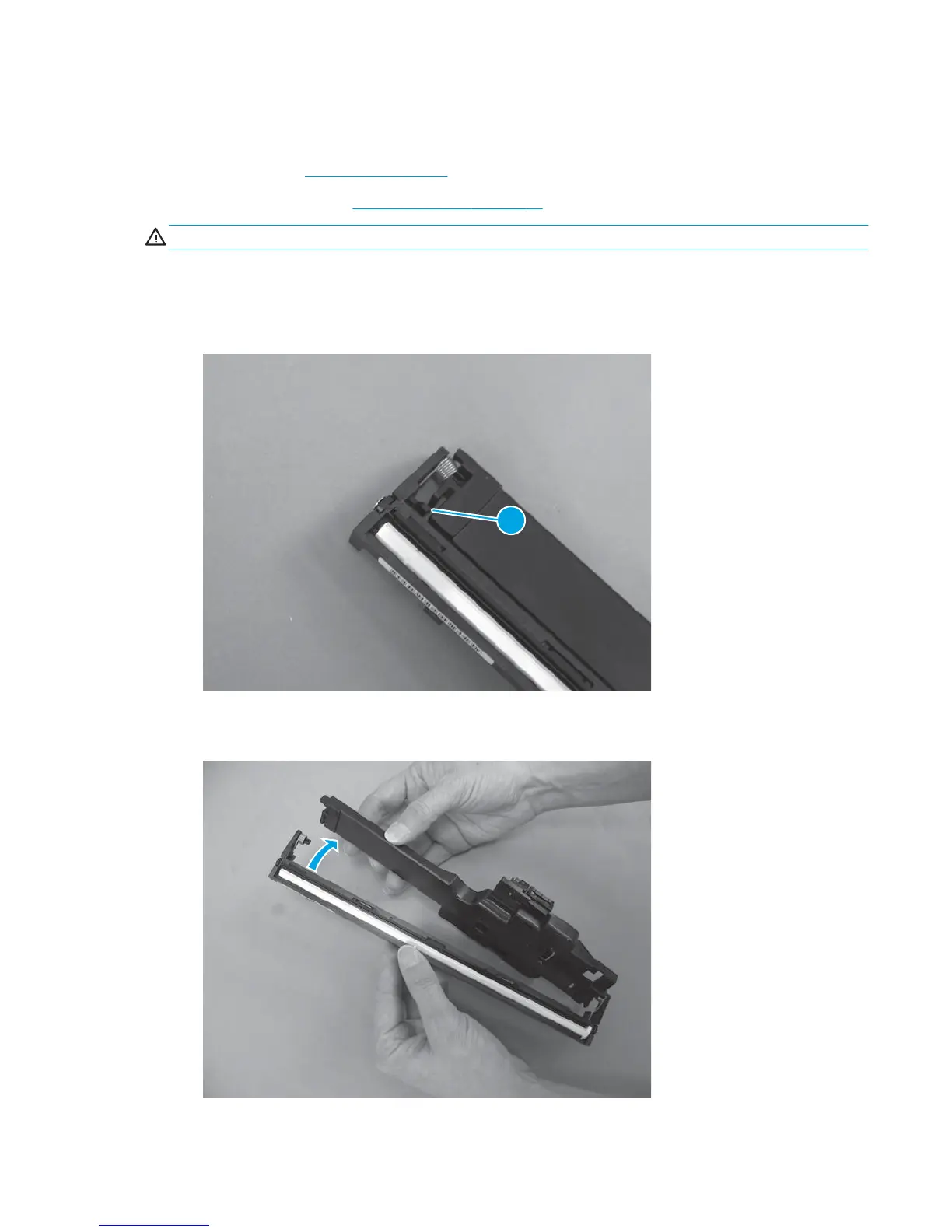
1. Release one tab (callout 1).
Figure 1-127 Remove the scanner spring assembly (1 of 2)
1
2. Pivot the spring assembly away from the scan drive chassis.
Figure 1-128 Remove the scanner spring assembly (2 of 2)
ENWW Removal and replacement procedures 89



 To Next Page