Document feeder components
Before proceeding, separate the scanner lid or document feeder from the scan base. See Separate the
scanner lid or document feeder from the scan base on page 80.
Document feeder (ADF) top cover
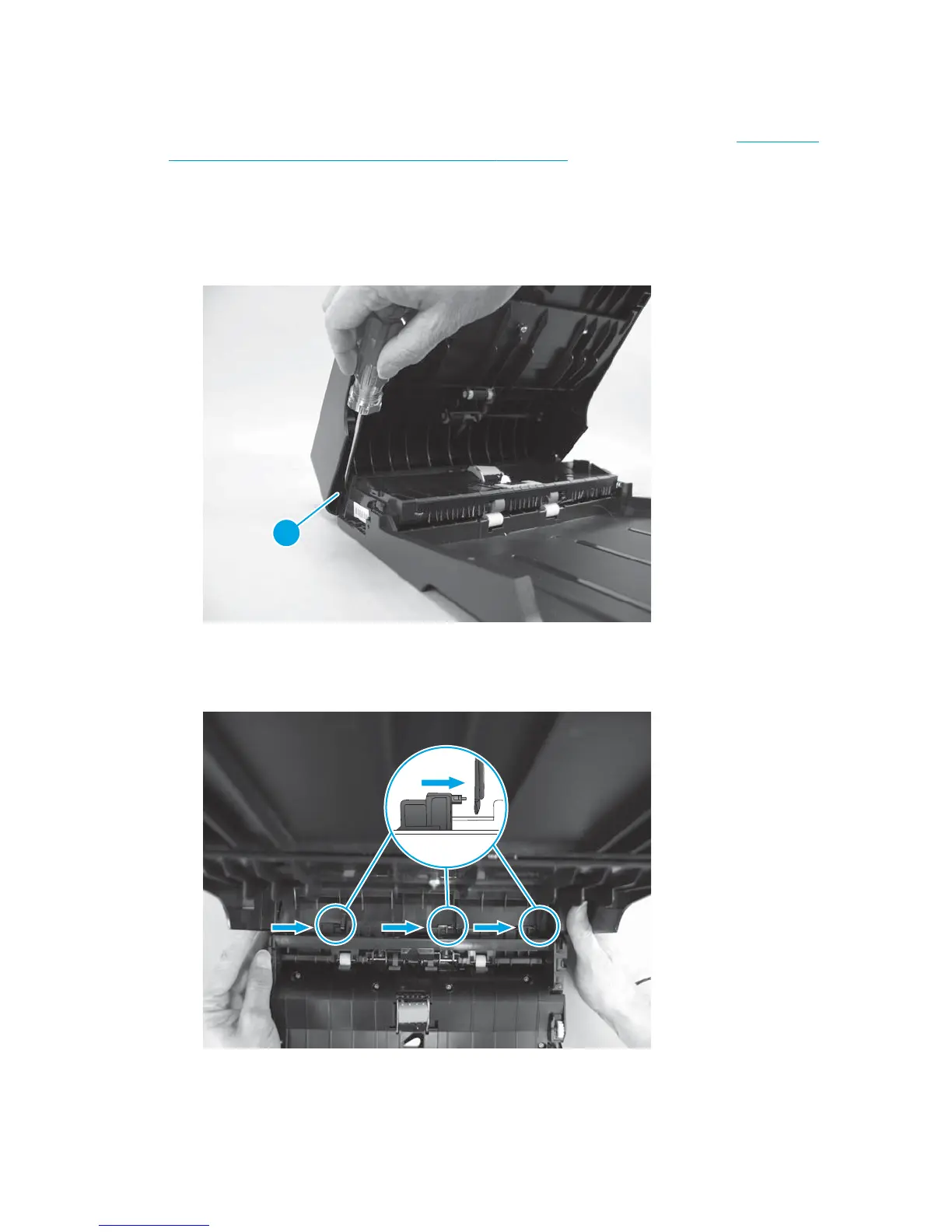
1. Open the ADF top cover. Use a small flat blade screwdriver to release one hinge pin (callout 1), and then
fully open the ADF cover.
Figure 1-130 Remove the ADF top cover (1 of 2)
1
2. Slide the cover toward the rear of the ADF to release the rear hinge pins, and then lift up to remove the
cover.
Figure 1-131 Remove the ADF top cover (2 of 2)
ENWW Removal and replacement procedures 91



 To Next Page