ADF core
Before proceeding, remove the following components:
●
ADF top cover. See
Document feeder (ADF) top cover on page 91.
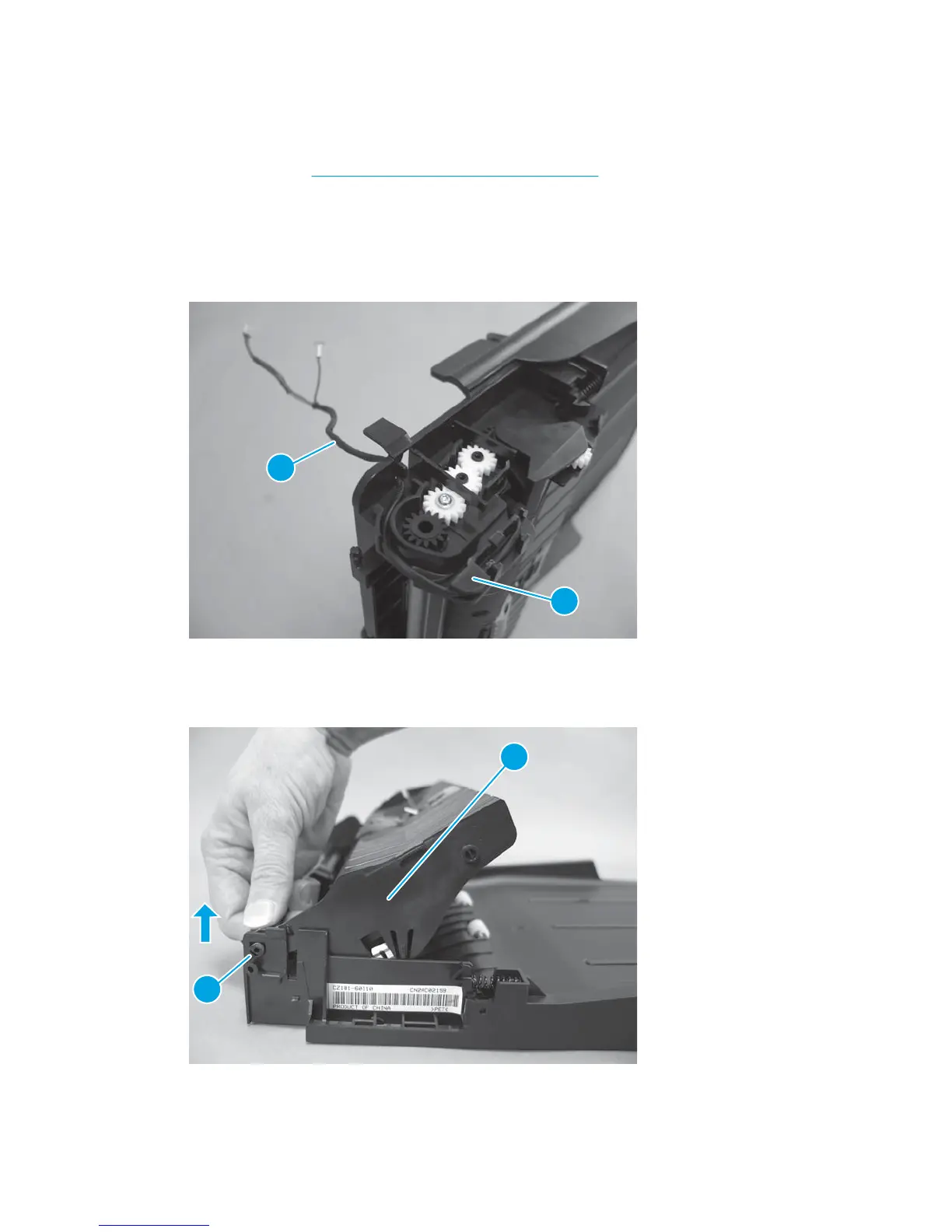
Remove the ADF core
1. At the rear of the ADF core, carefully feed the wire harness (callout 1) through the slot in the guides
(callout 2).
Figure 1-132 Remove the ADF core (1 of 2)
2
1
2. Open the ADF core, and then flex the chassis to release one hinge pin (callout 1). Lift the ADF core
(callout 2) straight up to remove it.
Figure 1-133 Remove the ADF core (2 of 2)
2
1
92 Chapter 1 Removal and replacement ENWW



 To Next Page