ADF separation pad
Remove the ADF separation pad
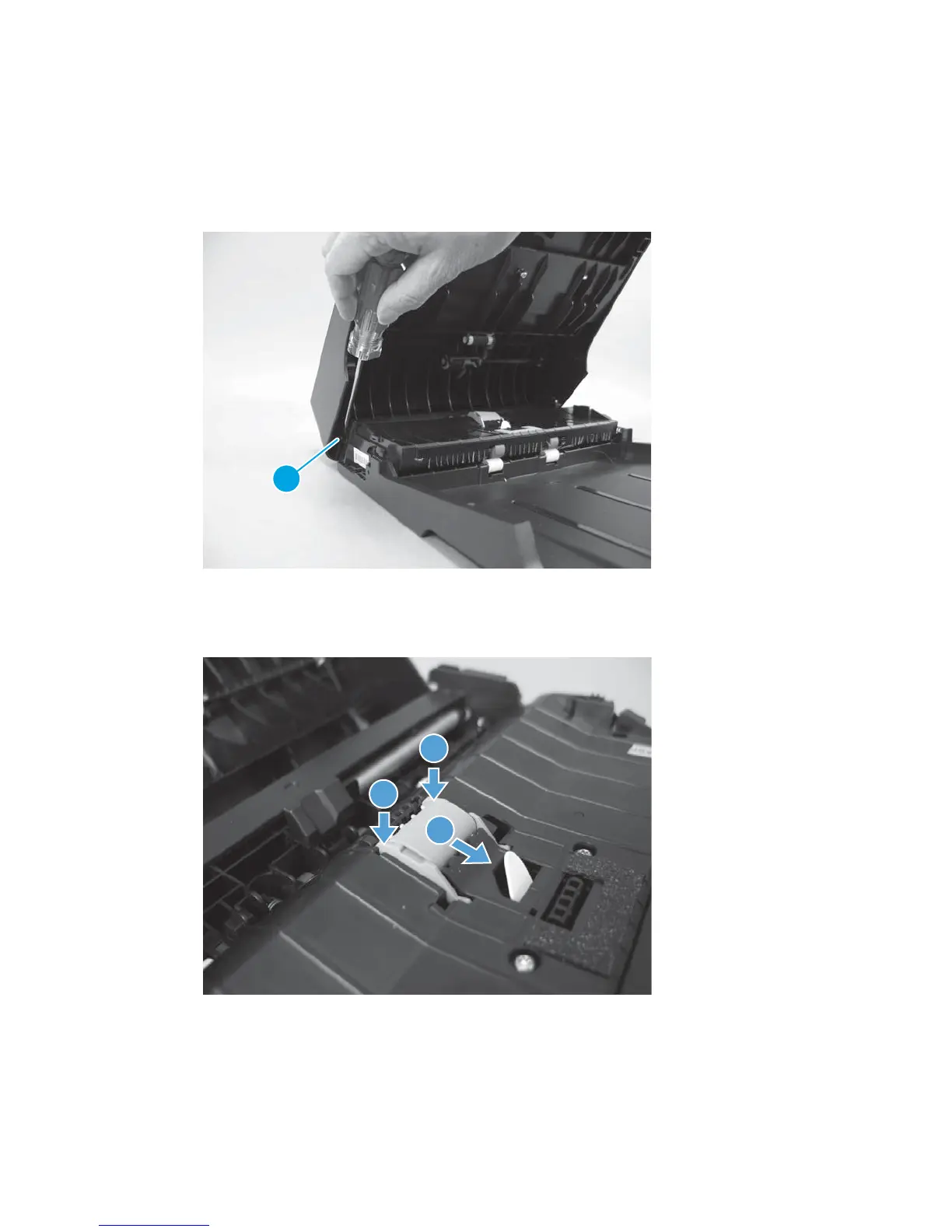
1. Open the ADF top cover. Use a small flat blade screwdriver to release one hinge pin (callout 1), and then
fully open the ADF cover.
Figure 1-134 Remove the ADF separation pad assembly (1 of 3)
1
2. Push down on the edges of the assembly (callout 1), and then move it toward the right side of the
product (callout 2).
Figure 1-135 Remove the ADF separation pad assembly (2 of 3)
1
1
2
ENWW Removal and replacement procedures 93



 To Next Page