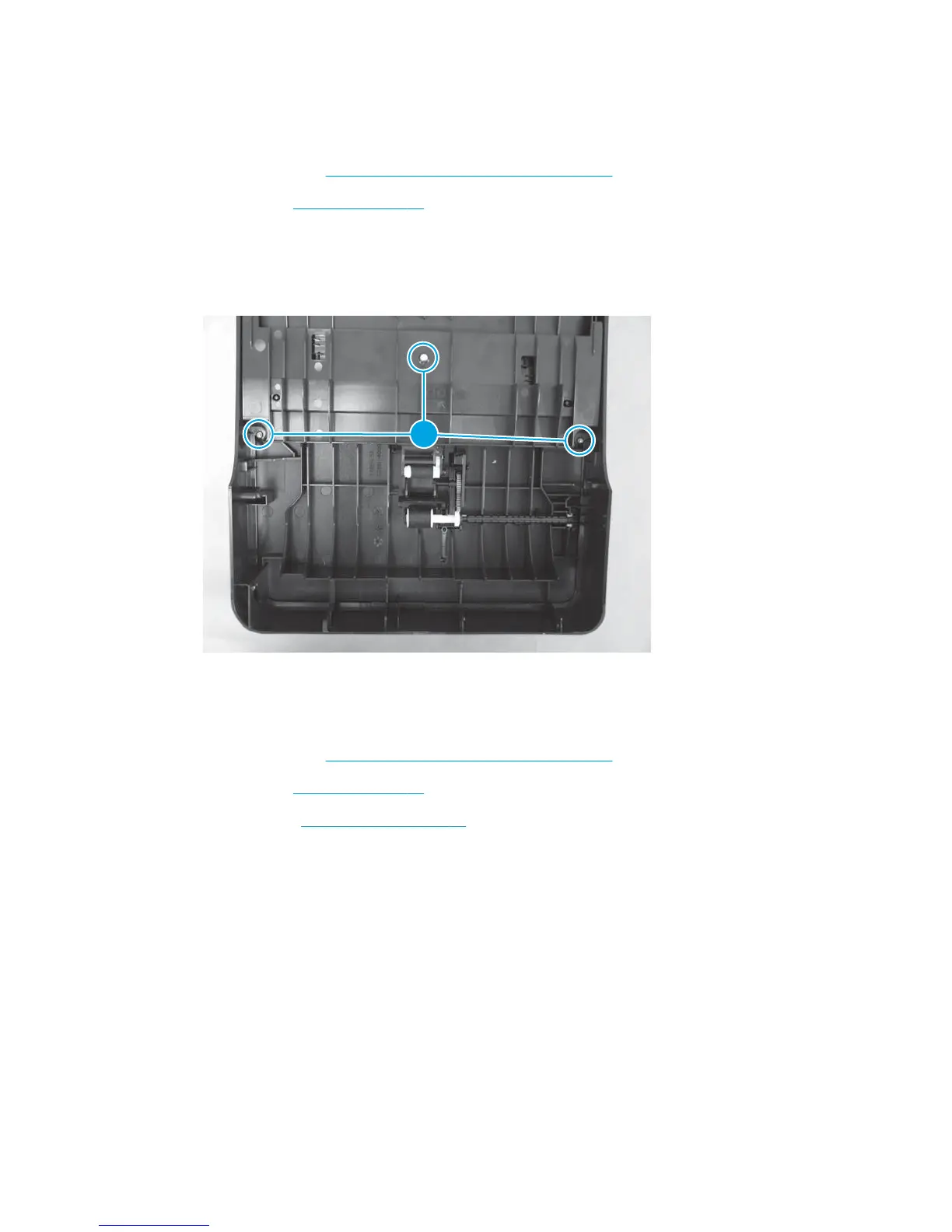
ADF inner tray
Before proceeding, remove the following components:
●
ADF top cover. See
Document feeder (ADF) top cover on page 91.
●
ADF core. See
ADF core on page 92.
Remove the ADF inner tray
▲
Remove three Torx T10 screws (callout 1), and then lift the ADF inner tray off.
Figure 1-142 Remove the ADF inner tray
1
ADF input guides and gear
Before proceeding, remove the following components:
●
ADF top cover. See
Document feeder (ADF) top cover on page 91.
●
ADF core. See
ADF core on page 92.
●
ADF inner tray.
ADF inner tray on page 97.
ENWW Removal and replacement procedures 97



 To Next Page