Fuser cover
Before proceeding, remove the following components:
●
Dust cover, input tray, and extension tray. See
Dust cover, input tray, and extension tray on page 9.
●
Left cover. See
Left cover on page 12.
●
Document feeder (M177 model only), scanner, and flat cable cover. See
Document feeder, scanner, and
flat cable cover (M177 model only) on page 14 or Scanner and flat cable cover (M176 model only)
on page 16.
●
Right cover. See
Right cover on page 18.
●
Top cover. See
Top cover on page 20.
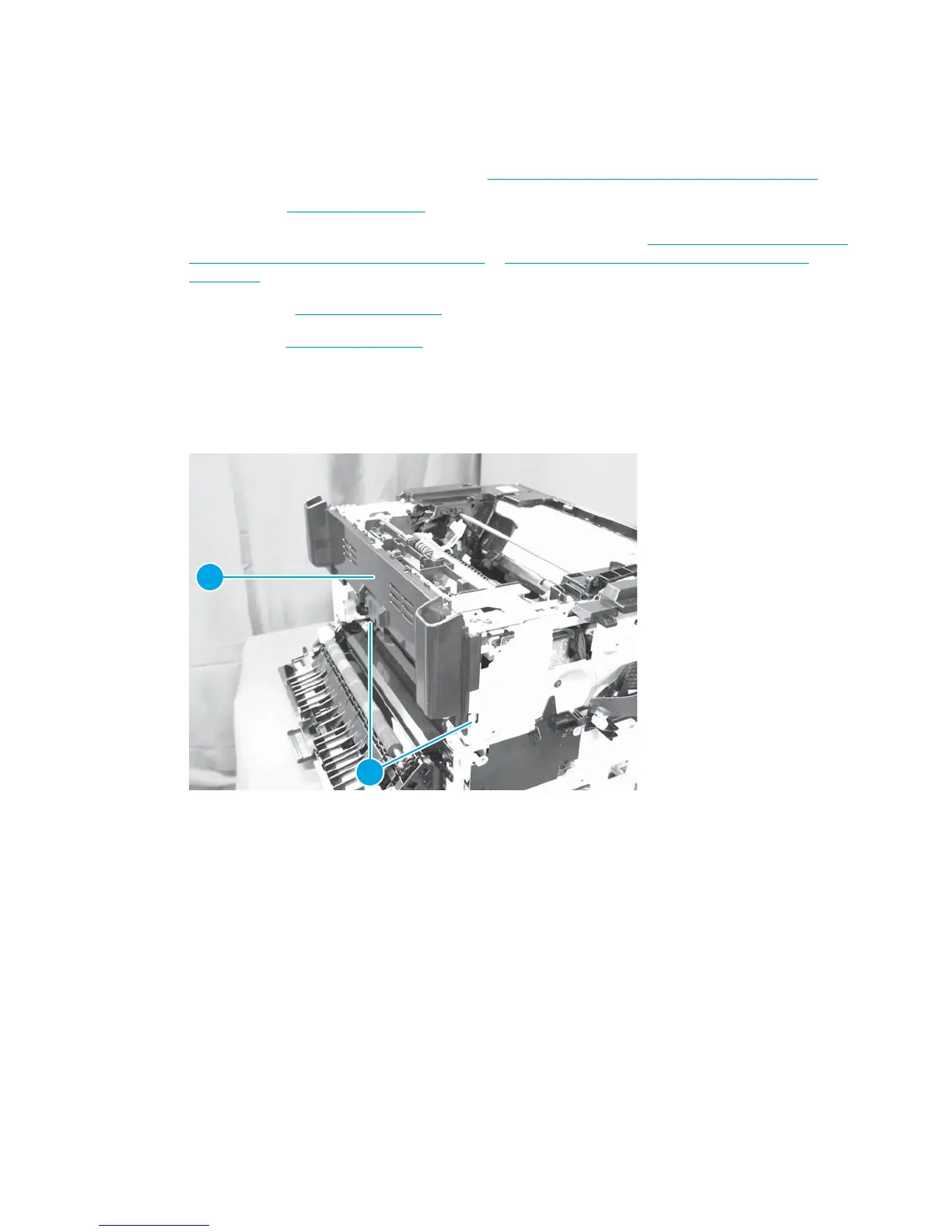
Remove the fuser cover
1. Release two tabs (callout 1) on the fuser cover (callout 2).
Figure 1-45 Remove the fuser cover
1
2
2. Lift the fuser cover up and remove it.
36 Chapter 1 Removal and replacement ENWW



 To Next Page