Formatter PCA (M177 model)
CAUTION: ESD sensitive.
Before proceeding, remove the following components:
●
Left cover. See
Left cover on page 12.
●
Wireless PCA. See
Wireless PCA (M177 model) on page 42.
Remove the formatter PCA (M177 model)
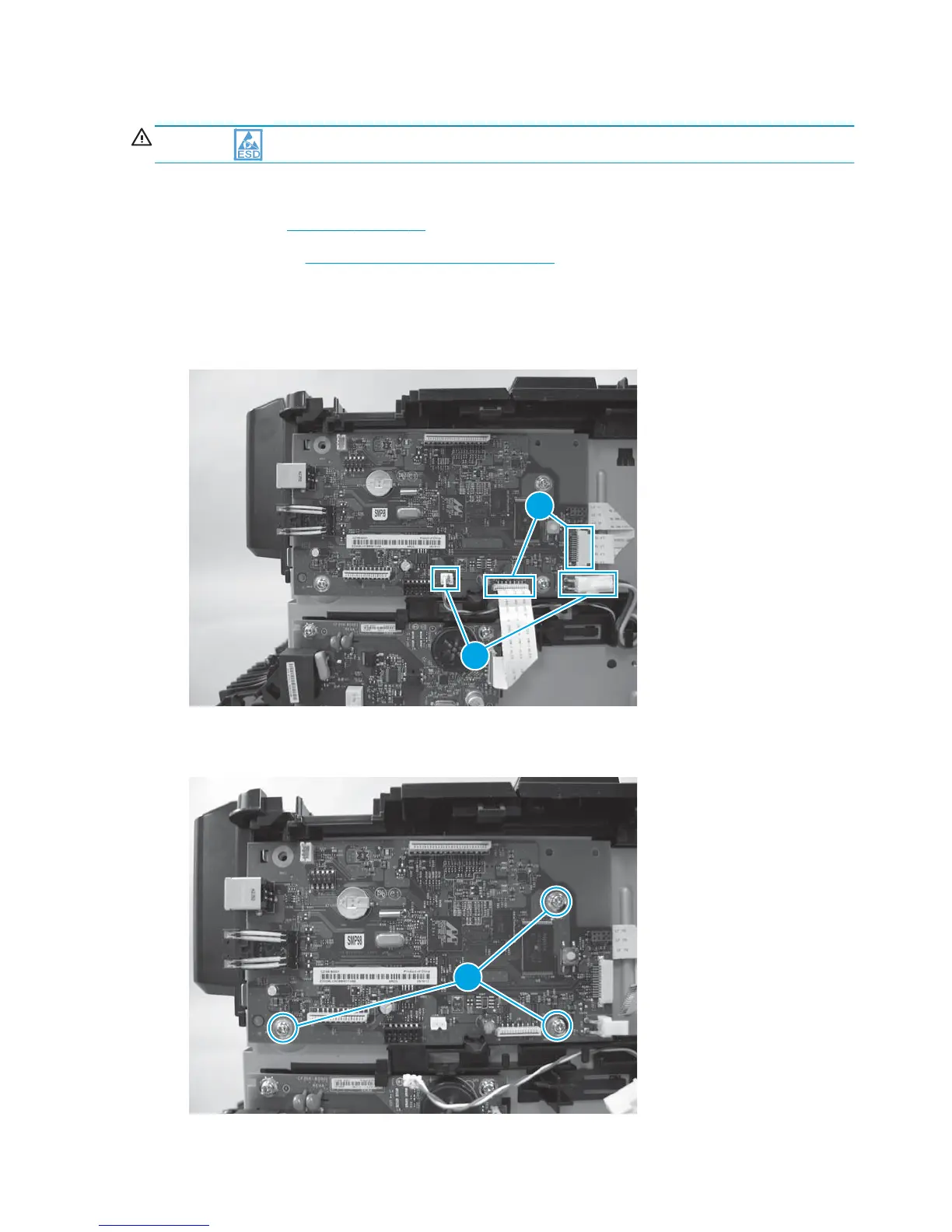
1. Disconnect two connectors (callout 1), and then disconnect two FFCs (callout 2).
Figure 1-56 Remove the formatter PCA for the M177 model (1 of 2)
1
2
2. Remove three screws (callout 1), and then remove the formatter PCA.
Figure 1-57 Remove the formatter PCA for the M177 model (2 of 2)
1
44 Chapter 1 Removal and replacement ENWW



 To Next Page