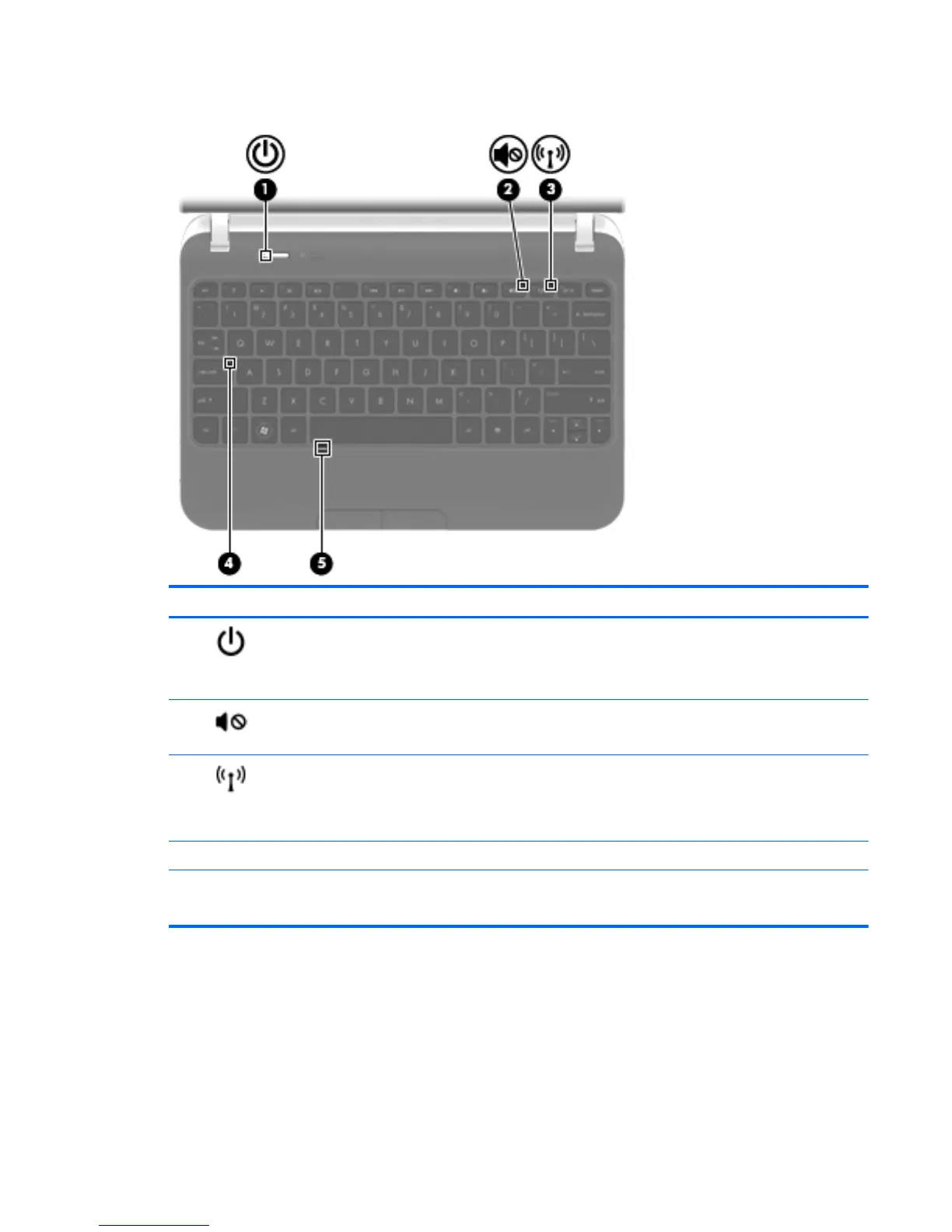
Lights
Component Description
(1)
Power light
●
White: The computer is on.
●
Blinking white: The computer is in the Sleep state.
●
Off: The computer is off or in Hibernation.
(2)
Mute light
●
Amber: Computer sound is off.
●
Off: Computer sound is on.
(3)
Wireless light
●
White: An integrated wireless device, such as a
wireless local area network (WLAN) device and/or a
Bluetooth® device, is on.
● Amber: All wireless devices are off.
(4) Caps lock light On: Caps lock is on.
(5) TouchPad light
●
Off: The TouchPad is on.
●
Amber: The TouchPad is off.
Top 5




 To Next Page