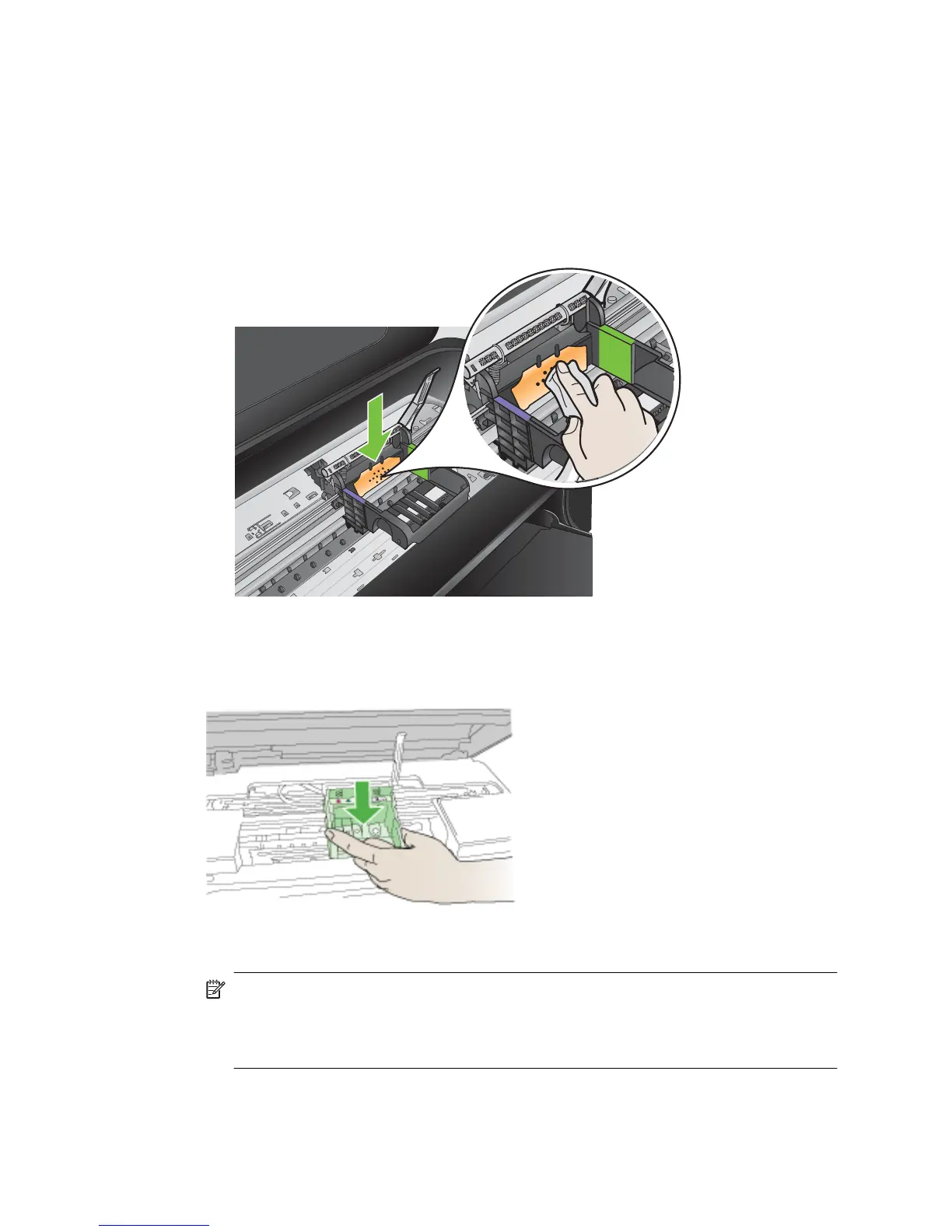
7. Clean the electrical contacts inside the printer.
To clean the electrical contacts in the printer
a. Lightly dampen a clean, lint-free cloth with bottled or distilled water.
b. Clean the electrical contacts in the printer by wiping with the cloth from top to
bottom. Use as many fresh, clean cloths as necessary. Clean until no ink shows
on the cloth.
c. Wipe the area dry with a dry lint-free cloth before proceeding to the next step.
8. Make sure the latch handle is raised, and then reinsert the printhead.
9. Carefully lower the latch handle.
NOTE: Make sure you lower the latch handle before reinserting the ink
cartridges. Leaving the latch handle raised can result in incorrectly seated ink
cartridges and problems printing. The latch must remain down in order to correctly
install the ink cartridges.
Chapter 8
124 Solve a problem



 To Next Page