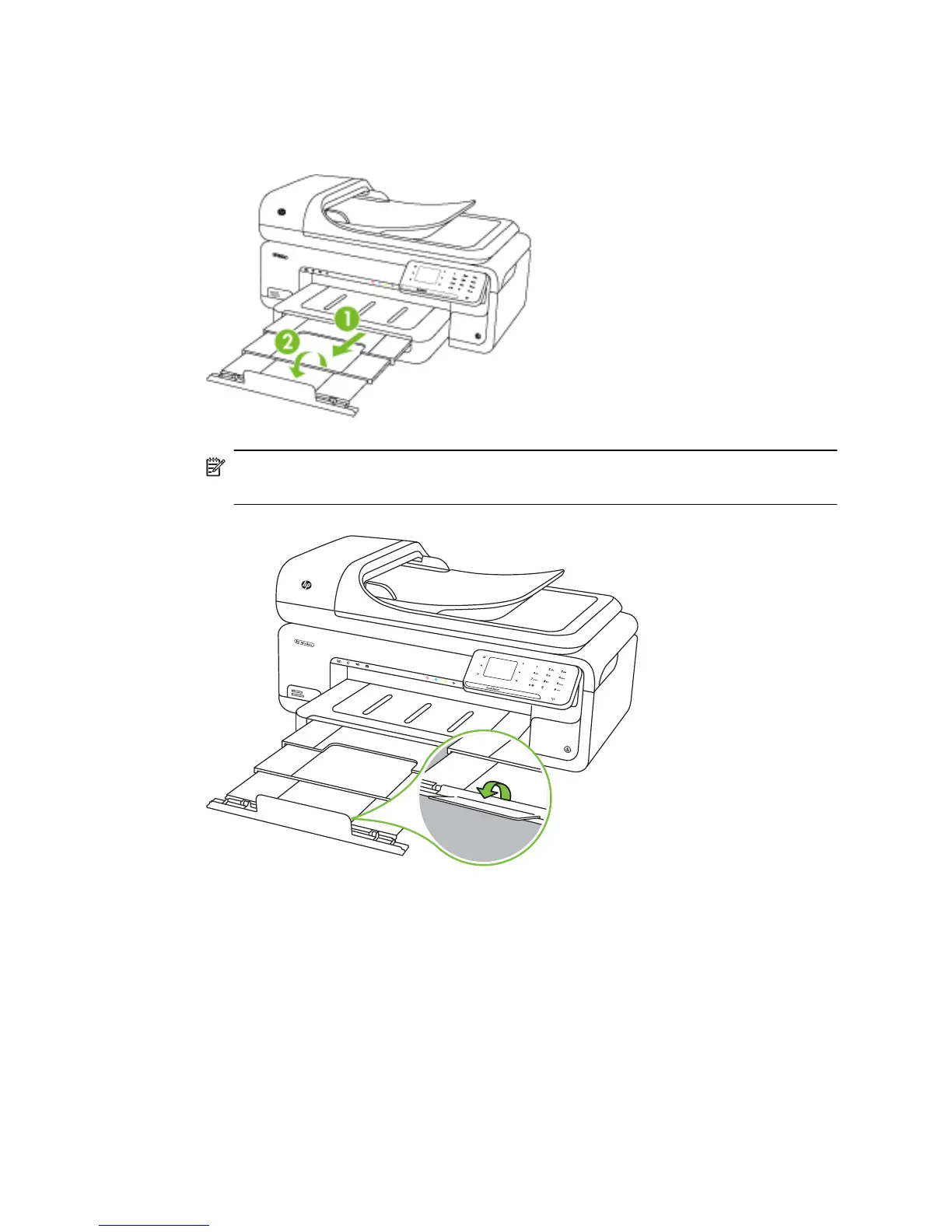
Media is not coming out correctly
• Make sure the output tray extender is fully extended; otherwise, printed pages may
fall off the printer.
NOTE: When printing documents larger than A3/11 x 17 inches, extend the
output tray extender all the way and tilt the paper stopper.
• Remove excess media from the output tray. There is a limit to the number of sheets
the tray can hold.
Pages are skewing
• Make sure the media loaded in the trays is aligned to the paper guides. If needed,
pull out the trays from the printer and reload the media correctly, making sure that the
paper guides are correctly aligned.
• Load media into the printer only when it is not printing.
Chapter 8
128 Solve a problem



 To Next Page