Use the printer control panel
This section contains the following topics:
•
Overview of buttons and lights
•
Control-panel display icons
•
Change printer settings
Overview of buttons and lights
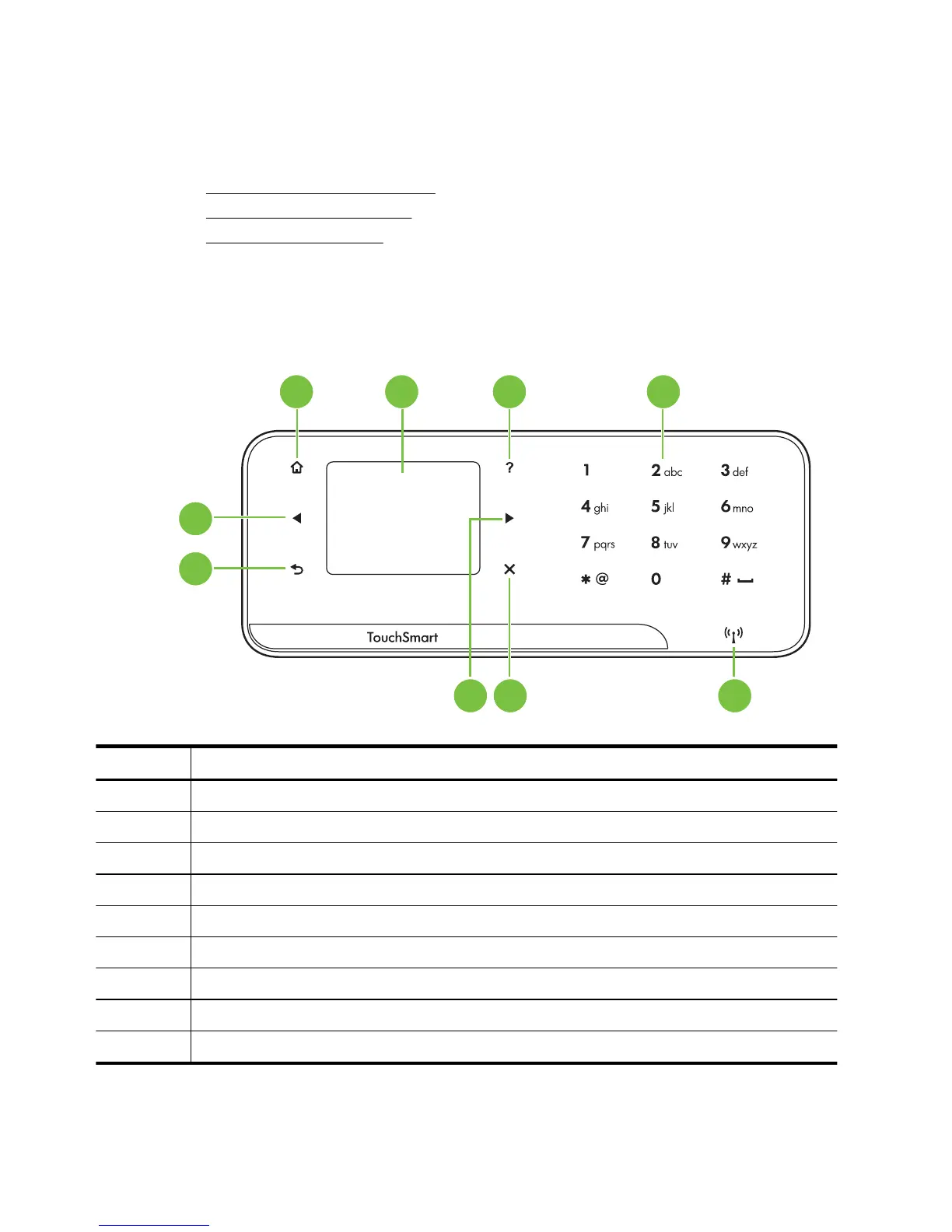
The following diagram and related table provide a quick reference to the printer control
panel features.
567
8
9
1 2 3 4
Label Name and Description
1 Home: Press this to return to the Home screen from any other screen.
2 Color display: Touch the icon on the color display to choose a printer function.
3 Help: Opens the Help screen.
4 Keypad: Use the keypad to enter numbers and text.
5 Wireless light: The light is on when the wireless radio is on.
6 Cancel: Stops a job, exits a screen, or exits settings.
7 Right arrow: Navigates through settings in the screens.
8 Back: Touch this to return to the previous screen.
9 Left arrow: Navigates through settings in the screens.
Chapter 1
12 Get started



 To Next Page