Removal and Replacement Procedures
Maintenance and Service Guide 5–35
6. Turn the comuter display-side up with the front toward you.
7. Open the computer to an upright position.
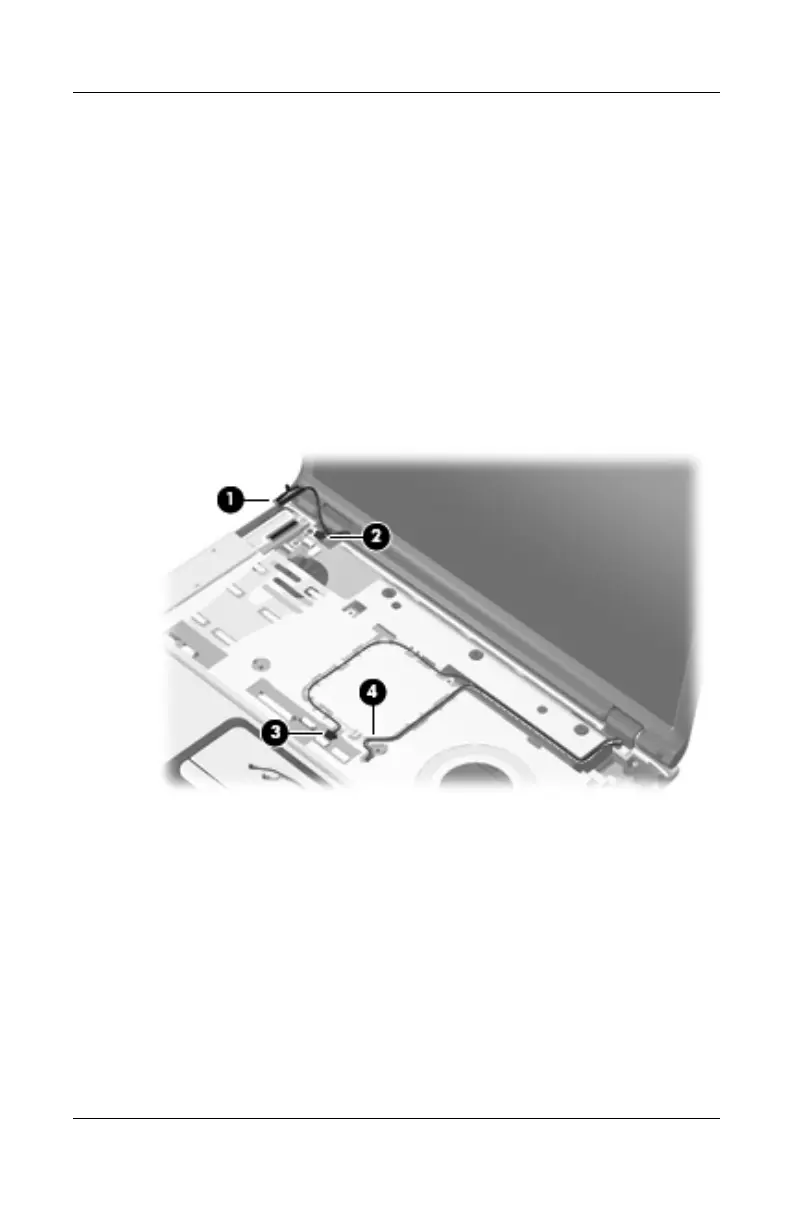
8. Disconnect the following cables:
1 Display cable
2 Microphone cable
3 Camera cable
9. Remove the wireless antenna cables 4 from the routing
channels in the top cover.
Disconnecting the Display Cables
http://mycomp.su - Maintenance and Service Guide,Motherboard Schematics for Laptop/notebook
Ремонт ноутбуков.Запчасти и комплектующие для ноутбука.
Схемы,сервис мануалы,инструкции по разборке ноутбука.



 To Next Page
 Loading...