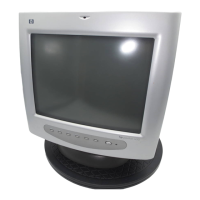
hp pavilion f50/f70 LCD Monitor
Using the Monitor
24 English
Using the Monitor
Using Display Manager
The monitor comes pre-configured to provide the best viewing
image. However, you can fine-tune the display using Display
Manager. The monitor has control buttons that you can use to open
Display Manager to select and adjust display settings.
To adjust display settings:
1 Press the Menu button to open Display Manager.
2 Press a Browse button to navigate through the setting option icons;
see the following setting options table.
3 When the menu option you want is selected, press the Select
button to open the setting screen for that option.
4 Adjust the setting using the onscreen instructions that follow.
5 To exit Display Manager, press the Menu button.
Display Manager screen
in analog mode
Display Manager screen
in digital mode



 To Next Page
 Loading...