24 Getting Started Guide
9 After the speakers are connected to the PC, configure the audio software for
sound output for your PC model:
• Type 3 connectors: See “Configuring audio output with Multi-channel
Sound Manager” on page 35.
• Type 6 connectors: See “Configuring audio output with Sound Effect
Manager” on page 37.
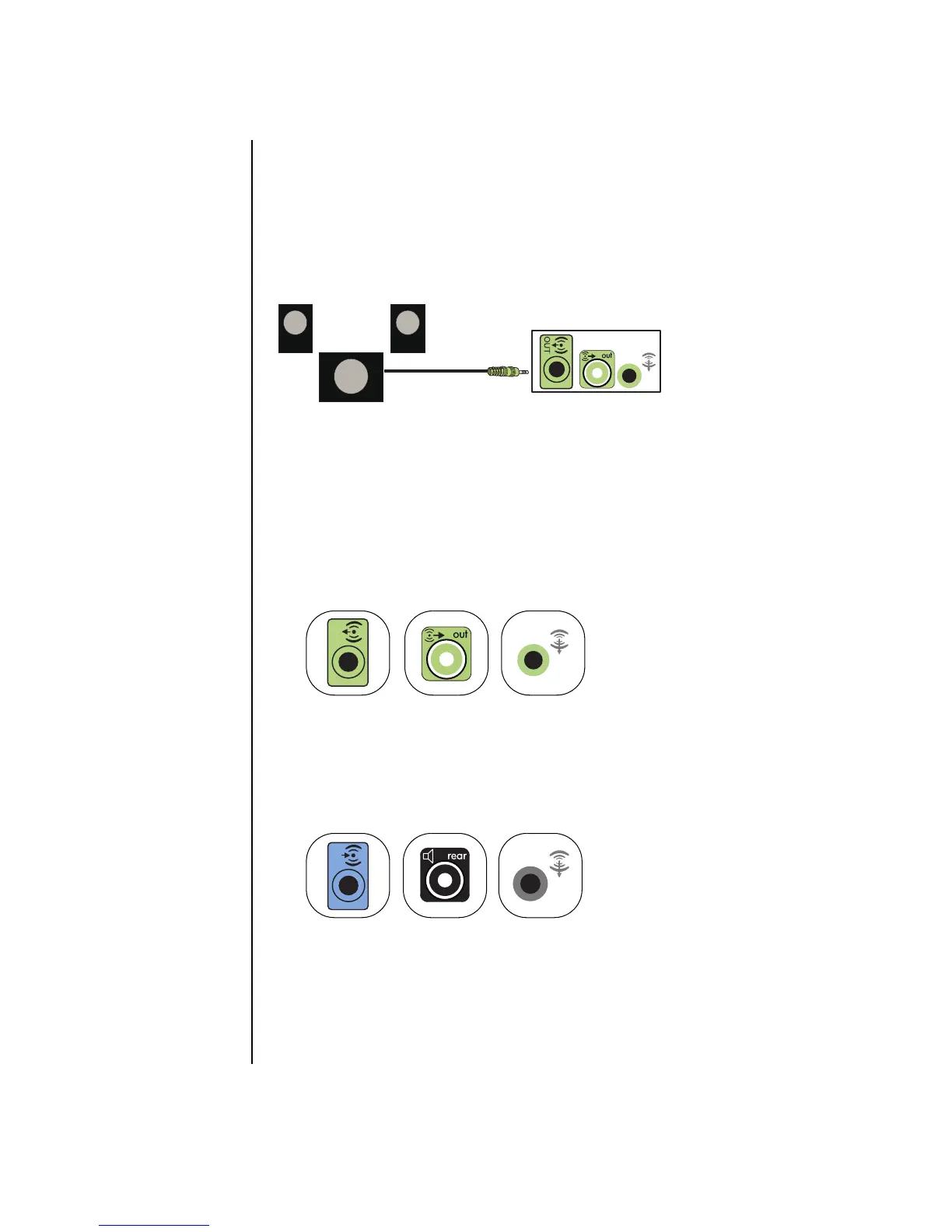
The following diagram shows a typical 2.1 audio installation:
Connecting 4.1 (4 speakers and a subwoofer)
audio speakers
To connect two front speakers, two rear speakers, and a subwoofer for four-channel
(4.1 speaker) output:
1 Turn off the PC.
2 Connect the front speaker cable to the lime-green Audio Line Out connector that
matches the back of your PC.
• Type 3 is three connectors
• Type 6 is six connectors
• Type S is a sound card connector
3 Connect the rear speaker cable to the black connector that matches the back of
your PC.
For type 3 connectors, the blue Audio Line In connector functions as a rear Line
Out when a multichannel audio configuration is activated.
4 Connect the cables to the audio system.
5 Connect the front and rear speakers to the subwoofer. Refer to the speaker
documentation.
OUT
3
6
S
IN
3
6
S



 To Next Page