ENWW Printer Features 1-13
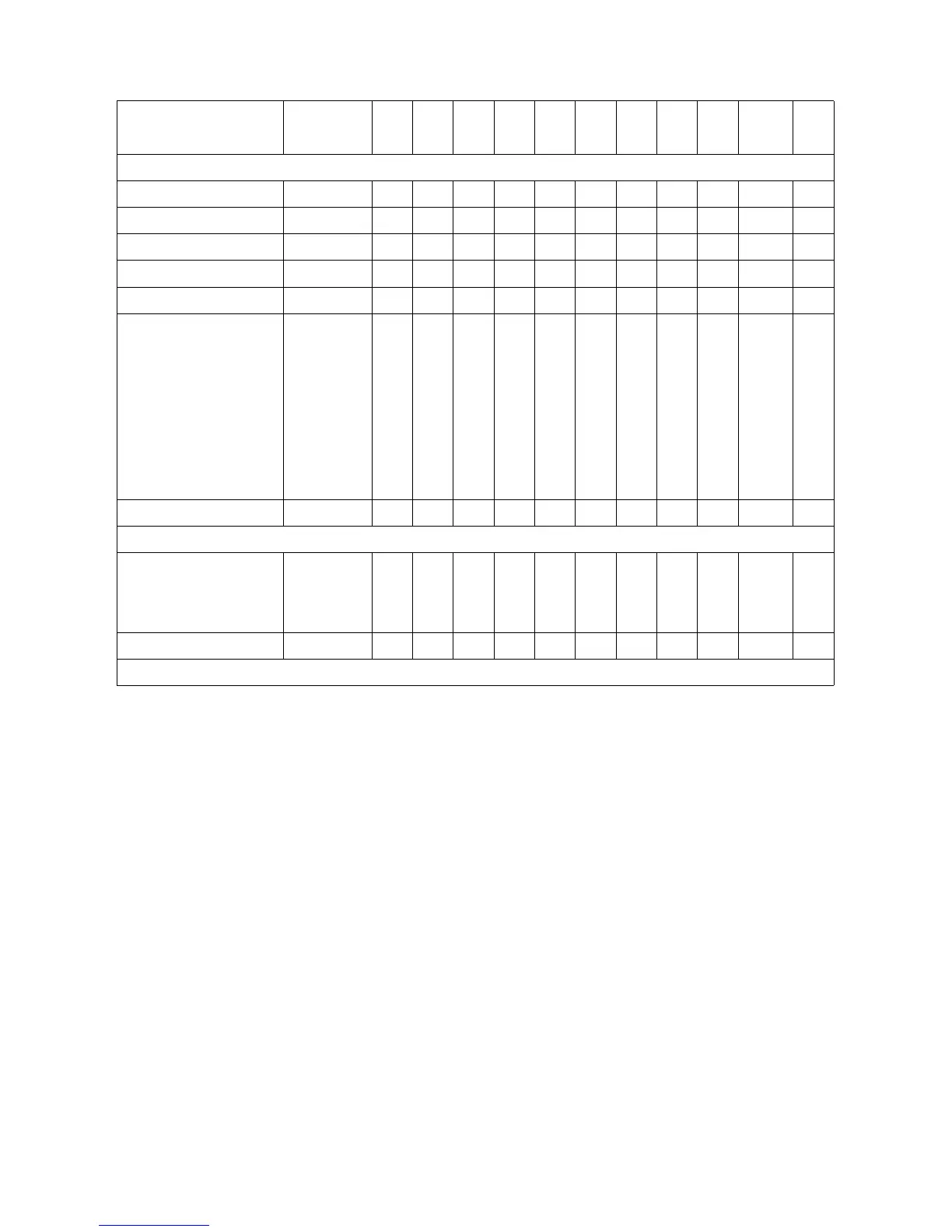
Table 1-1A. PCL 5 Feature Support Matrix (continued)
FUNCTION COMMAND III IIID IIISi IIIP
4
4M
4Si
4SiMx 4L
4ML
4P
4MP 4PJ
4 Plus
4M Plus
4V
4MV
PICTURE FRAME (for Vector Graphics)
Picture Frame Horiz. Size ?*c#X ✓✓✓✓✓✓✓✓✓ ✓ ✓
Picture Frame Vert. Size ?*c#Y ✓✓✓✓✓✓✓✓✓ ✓ ✓
Set Picture Frame Anchor Point ?*c0T ✓✓✓✓✓✓✓✓✓ ✓ ✓
HP-GL/2 Horiz. Plot Size ?*c#K ✓✓✓✓✓✓✓✓✓ ✓ ✓
HP-GL/2 Vert. Plot Size ?*c#L ✓✓✓✓✓✓✓✓✓ ✓ ✓
Enter HP-GL/2 ?%#B
_Stand-alone plotter (-1) ns ns ns ns ns ns ns ns ns ns ns
_Previous HP-GL (0) ✓✓✓✓✓✓✓✓✓ ✓ ✓
_Current PCL CAP (1) ✓✓✓✓✓✓✓✓✓ ✓ ✓
_Current PCL coordinates and
old HP-GL/2 (2)
ns ns ns ns ns ns ns ns ns ns ns
_Current PCL coordinates and
current CAP (3)
ns ns ns ns ns ns ns ns ns ns ns
Enter PCL Mode ?%#A ✓✓✓✓✓✓✓✓✓ ✓ ✓
PROGRAMMING HINTS
Display Functions
On ?Y ✓✓✓✓✓✓✓✓✓ ✓ ✓
Off ?Z ✓✓✓✓✓✓✓✓✓ ✓ ✓
End-Of-Line Wrap ?&s#C ✓✓✓✓✓✓✓✓✓ ✓ ✓
✓ Indicates a command is supported. ns - Indicates a command is not supported.






 To Next Page