2.
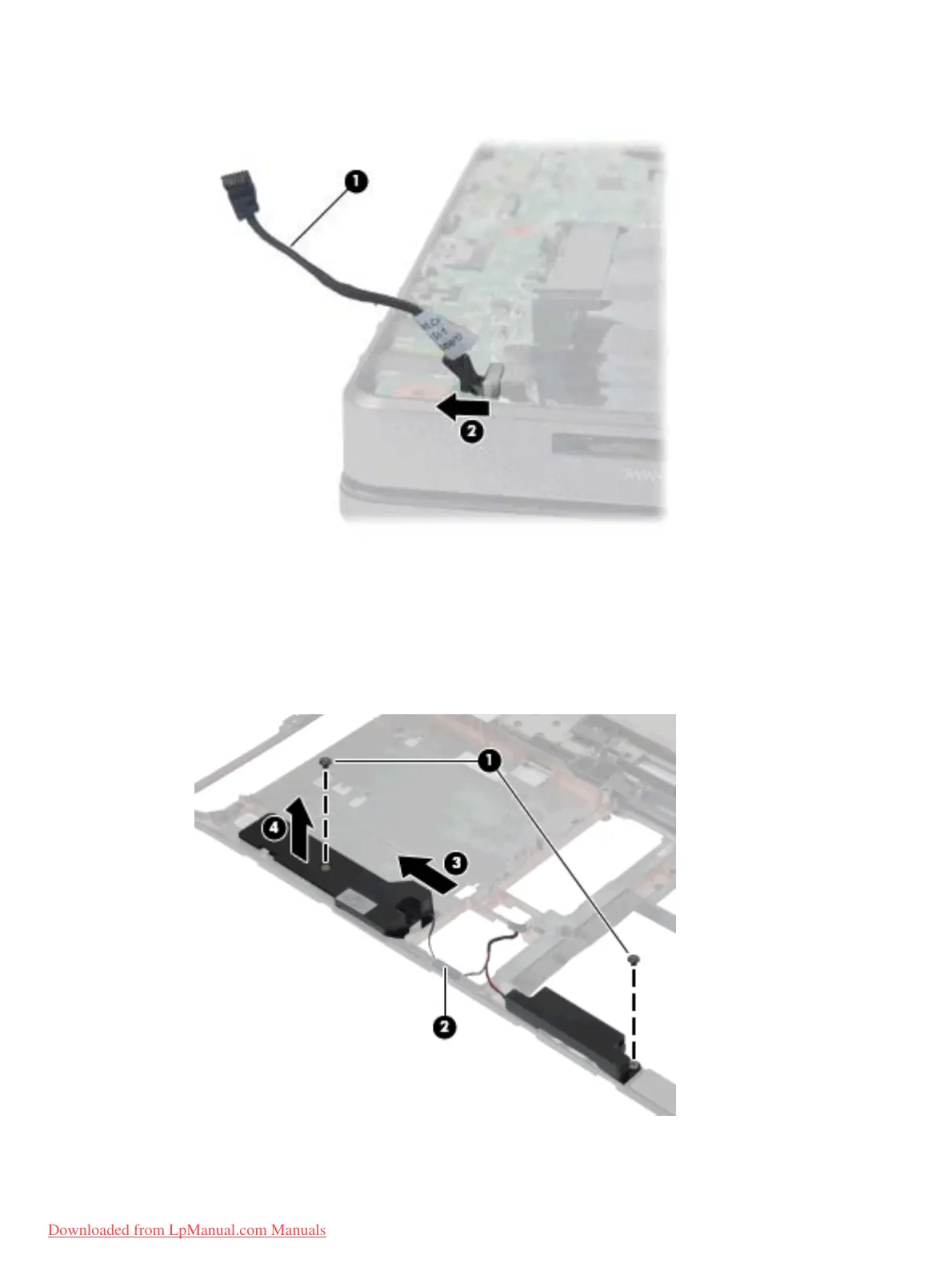
Remove the Bluetooth cable (1) by unplugging it from the system board (2).
3.
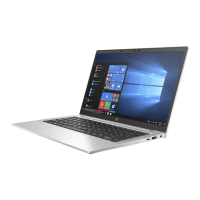
Remove the two Phillips PM2.5×5.0 screws (1) that secure the speaker assembly to the base
enclosure.
4. Remove the tape (2) from the speaker cable.
5. Slide the large speaker to the left (3) until the cutout in the speaker lines-up with the metal clip.
6. Remove the speaker assembly (4) from the base enclosure.
Component replacement procedures
87
Downloaded from LpManual.com Manuals



 To Next Page