2
Removal
Note Before removing the power supply clip assembly from the switch:
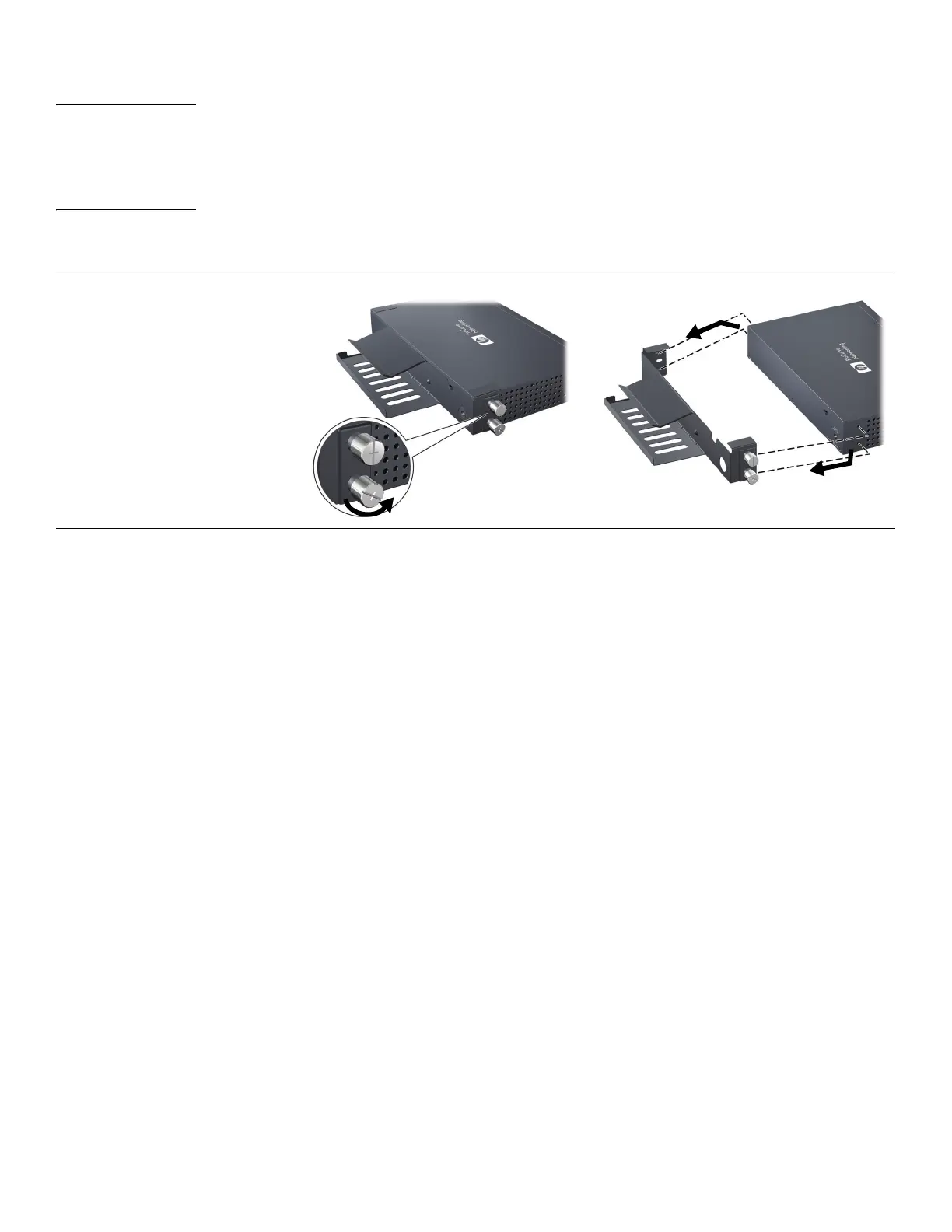
1. First, unfasten the two
thumbscrews that attach the clip
assembly to the switch (A).
Carefully slide this side off first.
2. Then disengage the alignment
pins on the other side of the clip
assembly (B), and slide the entire
assembly away from the switch.
• Disconnect and remove the power adapter and cables.
• If a cable tie is used to secure the adapter power cord, it must be removed.
• Be sure to remove the power adapter by sliding it out from the side of the clip assembly.
5998-0408 PS Clip QSG-Mar10.fm Page 2 Tuesday, February 23, 2010 1:44 PM





 To Previous Page