EasyManua.ls Logo

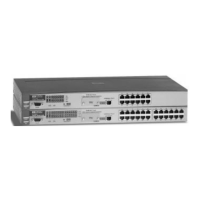
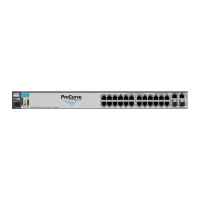
HP ProCurve 2124 - User Manual

HP ProCurve 2124
60 pages
Print Icon
To Next Page IconTo Next Page
Loading...
hp procurve
switch 2124
installation guide
www.hp.com/go/hpprocurve

Other manuals for HP ProCurve 2124

Questions and Answers

  • J
    John PenaAug 4, 2025
    Why is my HP ProCurve 2124 not turning on?
    • M
      Matthew SweeneyAug 4, 2025
      Your HP Switch might not be turning on because it's not properly connected to a power source, or the power supply has failed. Here's what you can do: - First, check that the power cord is securely plugged into both an active power outlet and the switch. - Next, try power cycling the switch by unplugging it, waiting a few seconds, and then plugging it back in. - If the Power LED remains off, test the AC power source by plugging another device into the outlet. Alternatively, try plugging the switch into a different outlet or using a different power cord.
  • T
    Thomas StephensAug 15, 2025
    What to do if my HP Switch hardware fails during self-test?
    • J
      James MccarthyAug 15, 2025
      If your HP Switch experiences a hardware failure during the self-test, try power cycling the switch. If the fault indication continues after restarting, it suggests the switch may have failed.
  • M
    Michael BlairOct 26, 2025
    What to do if my HP Switch network connection is not working properly?
    • D
      deborahhallOct 26, 2025
      If your HP Switch network connection isn't working, try these steps: - Check that both ends of the cable are properly connected to the switch and the connected device. - Ensure that both the connected device and the switch are powered on and functioning. - Confirm you're using the correct cable type. For twisted-pair connections to the fixed 10/100 ports, either straight-through or crossover cables can be used due to the switch's HP AutoMDIX feature. For fiber-optic connections, ensure the transmit port on the switch connects to the receive port on the device, and vice versa. - Make sure the connected devices comply with the IEEE 802.3 standard. - Try a different port or cable to see if that resolves the issue. - For Port 25 (transceiver port), a non-functioning transceiver may be the cau...

Summary

Introducing the HP Procurve Switch 2124

Front of the Switch

Describes the front panel components like ports, LEDs, and buttons.

Back of the Switch

Details the rear panel, focusing on the power connector.

Features

Lists key capabilities and technologies of the switch.

Switch Operation Overview

Explains how the switch handles data forwarding and address learning.

Installing the HP Procurve Switch 2124

Included Parts

Lists all components shipped with the switch.

Installation Procedures

Step-by-step guide for setting up the switch.

Example Network Topologies

Illustrates common ways to connect the switch in a network.

Troubleshooting the HP Procurve Switch 2124

Basic Troubleshooting Tips

Provides general advice for resolving common issues.

Diagnosing with LEDs

Explains how to interpret LED indicators for problem diagnosis.

Hardware Diagnostic Tests

Describes methods to test the switch's internal hardware.

HP Customer Support Services

Information on obtaining technical assistance from HP.

HP Procurve Switch 2124 Specifications

Physical & Environmental Specs

Details dimensions, weight, temperature, and humidity.

Electrical & Acoustic Specs

Covers power requirements, voltage, and noise emission.

Connectors & Safety Standards

Describes ports, cable compatibility, and safety certifications.

Switch Ports and Network Cables

Switch Ports Overview

Explains the types of ports (Twisted Pair, Fiber-Optic) on the switch.

Cable Types and Specifications

Details requirements for twisted-pair and fiber-optic cables.

Twisted-Pair Cable Pin-Outs

Provides pin assignments and wiring rules for twisted-pair cables.

Safety and Regulatory Statements

Safety Information

General safety precautions and warnings for product use.

EMC Regulatory Statements

Compliance info for electromagnetic compatibility in various regions.

European Community Declaration of Conformity

Formal statement of product compliance with EU directives.

HP ProCurve 2124 Specifications

General IconGeneral
Ports24
LayerLayer 2
Switching Capacity8.8 Gbps
Flash Memory16 MB
Jumbo Frame SupportYes
Power Consumption30 W
ModelProCurve 2124
MAC Address Table Size8K entries
Compliant StandardsIEEE 802.3, IEEE 802.3u, IEEE 802.3x
Height1.7 in

Related product manuals