59
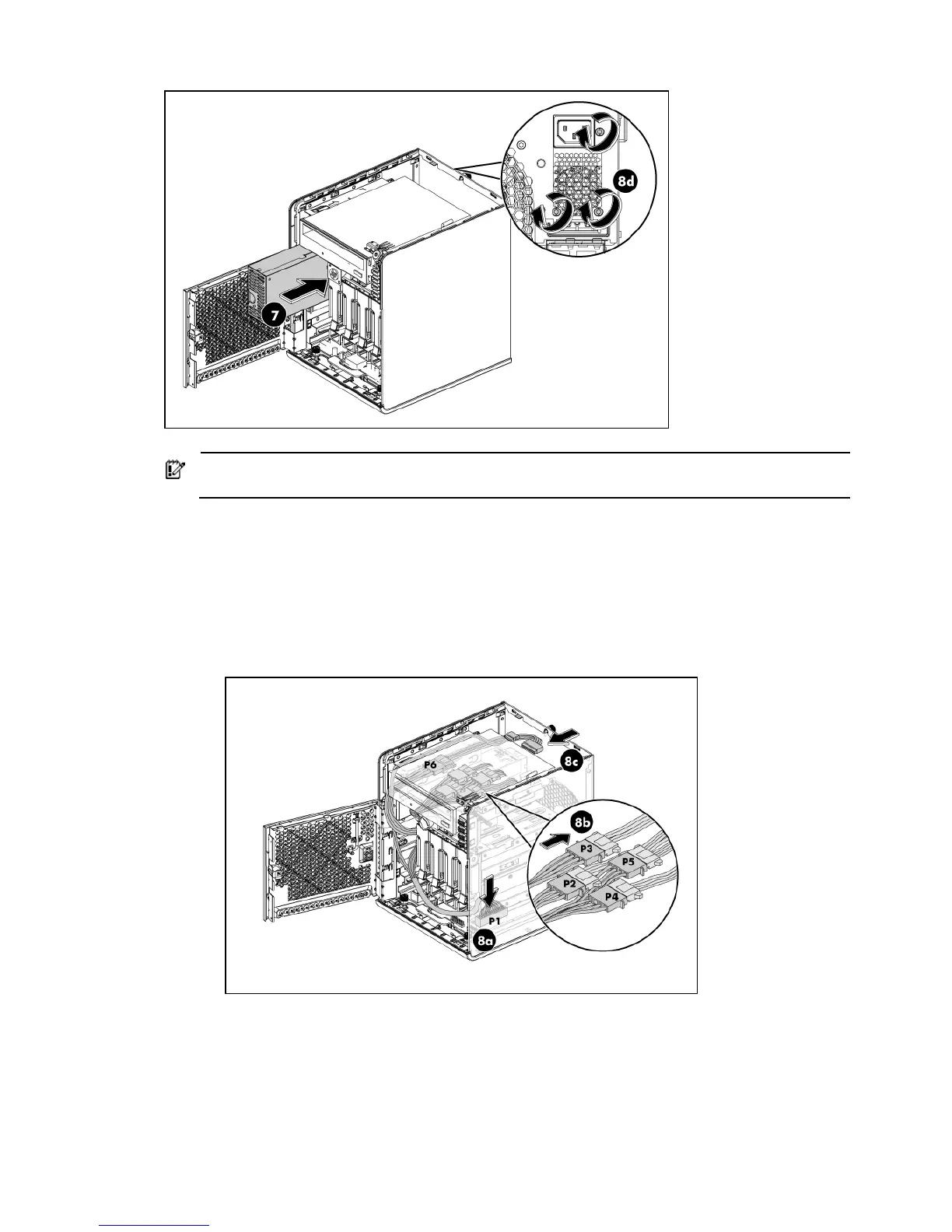
IMPORTANT: Check the PSU cable label before connecting them. Go to page 35 for a
reference figure on proper PSU cable connections.
8. Connect the power cables:
• Connect the power cable P1 to the 24-pin power connector on the system board (J12).
• Connect the power cable P2, P3, P4 and P5 to Hard drive 1, Hard drive 2, Hard drive 3
and Hard drive 4 respectively.
• Connect the power cable P6 to the ODD and connect the ODD cable.
• Fasten the three screws on the back of chassis to secure the power supply unit (see the above
picture).
9. After installing the power supply and connecting the power cables, slide the top panel to
reinstall it into the chassis.
10. Fasten the back screw to secure the top panel on the chassis.
11. Close the front panel door of the server.
12. Use the HP ProLiant MicroServer’s key to lock the panel door.













 To Next Page