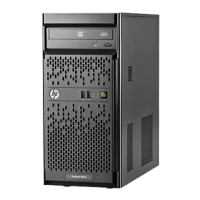
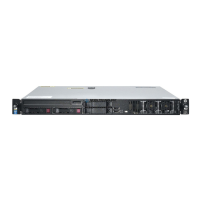
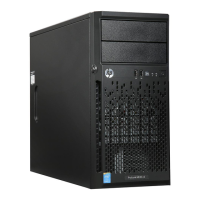
HP ProLiant ML10 v2 Server
c04567802 – DA – 15220 North America — Version 1 — March 30, 2015
*Indicates the number of physical electrical lanes running to the connector.
HP ROM (Read Only Memory) is now digitally signed using HP's Corporate Signing Service. This
signature is verified before the flash process starts, reducing accidental programming and preventing
malicious efforts to corrupt system ROM.
HP ROM provides for essential initialization and validation of hardware components before control is
passed to the customer-installed operating system. The ROM also provides the capability of booting
from various fixed media (HDD, CD-ROM) and removable media (USB), to continue operation to the
operating system.
HP ROM performs very early configuration of the video controller, to allow monitoring of initialization
progress via an attached monitor. If configuration or hardware errors are discovered during this early
phase of hardware initialization, suitable messages are now displayed on the connected monitor.
Additionally, these configuration or hardware errors are logged to the Integrated Management Log
(IML) to assist in diagnosis.
HP's ProLiant ROM is used to configure the following:
Processor and chipset status registers
System memory, memory map, and memory initialization
System hardware configuration (Integrated PCI devices and optional PCIe cards).
Customer-specific BIOS configuration (using the HP ROM-Based Setup Utility (RBSU).
NOTE: For further information, please refer to the HP ROM-Based Setup Utility User Guide:
http://www.hp.com/support/rbsu.
HP Dynamic Smart Array B120i Controller
NOTE: Supports up to 6.0Gb/s SATA. (SATA port 0/1 support 6Gb/s and SATA port 2/3 support 3Gb/s)
NOTE: Supports RAID 0/1/10 only. No FBWC support. For FBWC, a standup Smart Array Controller card
must be configured.
NOTE: For set up instructions, please refer to the HP ProLiant ML10 v2 series server user guide.
NOTE: For general information about HP Smart Array B120i SATA RAID Controller, please go to:
http://h18013.www1.hp.com/products/servers/proliantstorage/arraycontrollers/dynamicsmartarray/
index.html
Optical Drives
One of the following
depending on model
HP Half-Height SATA DVD-ROM Optical Drive
HP Half-Height SATA DVD-RW Optical Drive
Hard Drive Bays
One of the following
depending on model
4 LFF drive bays (non-hot-plug)
NOTE: All Pre-configured Models come populated with some hard drive
blanks installed. Should the customer need additional hard drive blanks,
they can order more using P/N 666986-B21: HP LFF Gen8 Hard Drive Blank


 To Next Page
 Loading...