print a proof sheet
37
hp psc 900 series
print a proof sheet
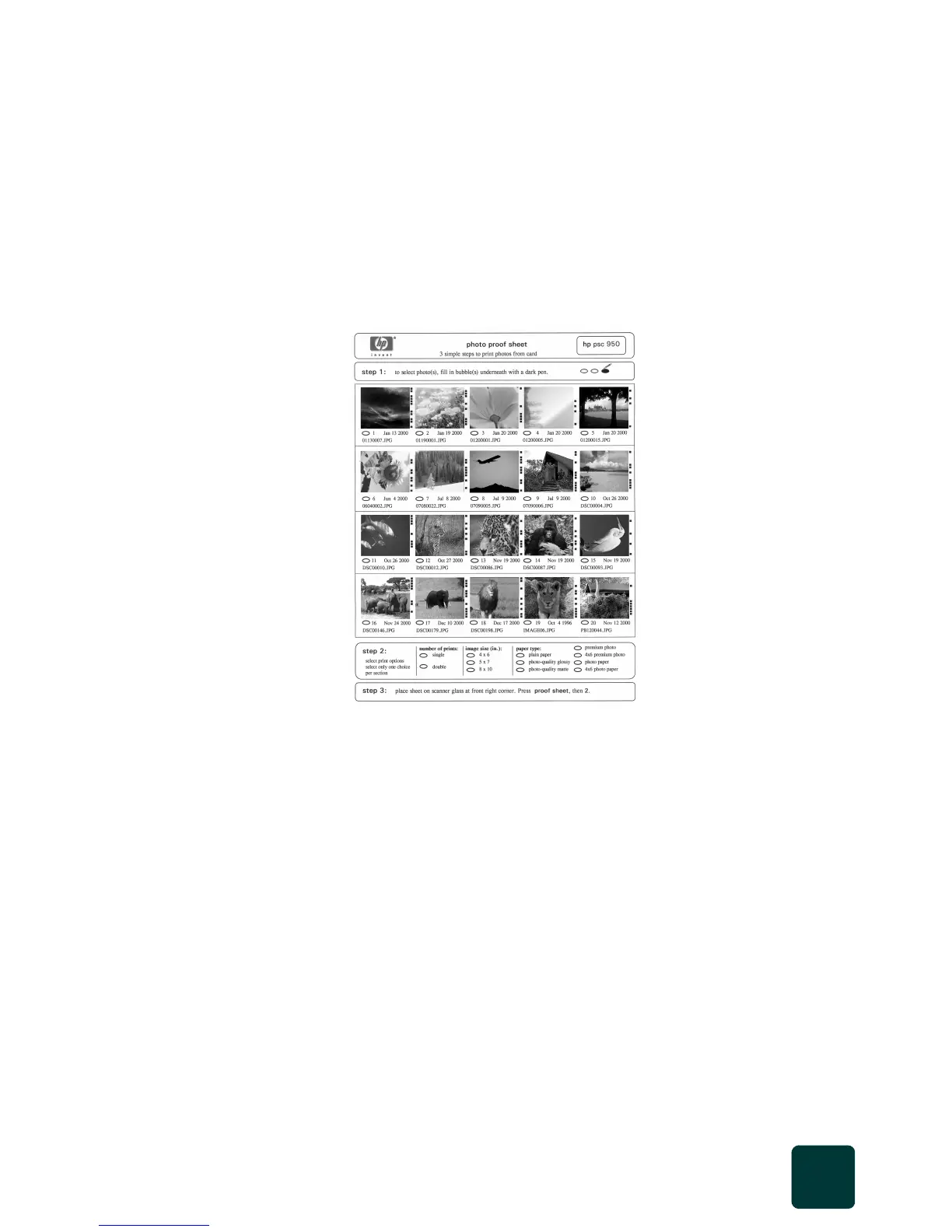
A proof sheet, which may be several pages long, shows thumbnail
views of photos stored on the photo card. The file name, index number,
and date appear under each thumbnail.
A proof sheet is a simple and convenient way to order and make prints
directly from a photo card. After printing a proof sheet, fill in the circles
and place the proof sheet on the glass. The proof sheet is scanned and
photo prints are generated.
You can use the proof sheet index number to select which photos to
print. This number may be different from the number associated with
the photo on your digital camera. If you add photos to, or delete
photos from, your photo card, you will need to reprint the index page
to see the new index numbers.
1 Insert the photo card into the appropriate slot on your printer.
2 Press the Proof Sheet button.
The front panel displays the message:
Proof Sheet
1 = Print 2 = Scan
3
Press 1.
The proof sheet prints. If there are more than 20 photos on the
card, you can select the range of photos to be printed on the
proof sheet.
step 1: select the photos
you want by filling in the
circles located underneath
each photo with a dark
pen.
step 2: select the
number of prints, image
size, and paper type.
step 3: place the top of
the proof sheet on the
glass face down at the
right front corner of the
scanner glass.



 To Next Page