Attaching the monitor stand
CAUTION: The screen is fragile. Avoid touching or applying pressure to the screen; doing so can cause
damage.
TIP: Consider the placement of the monitor, because the bezel might cause interfering reections from
surrounding light and bright surfaces.
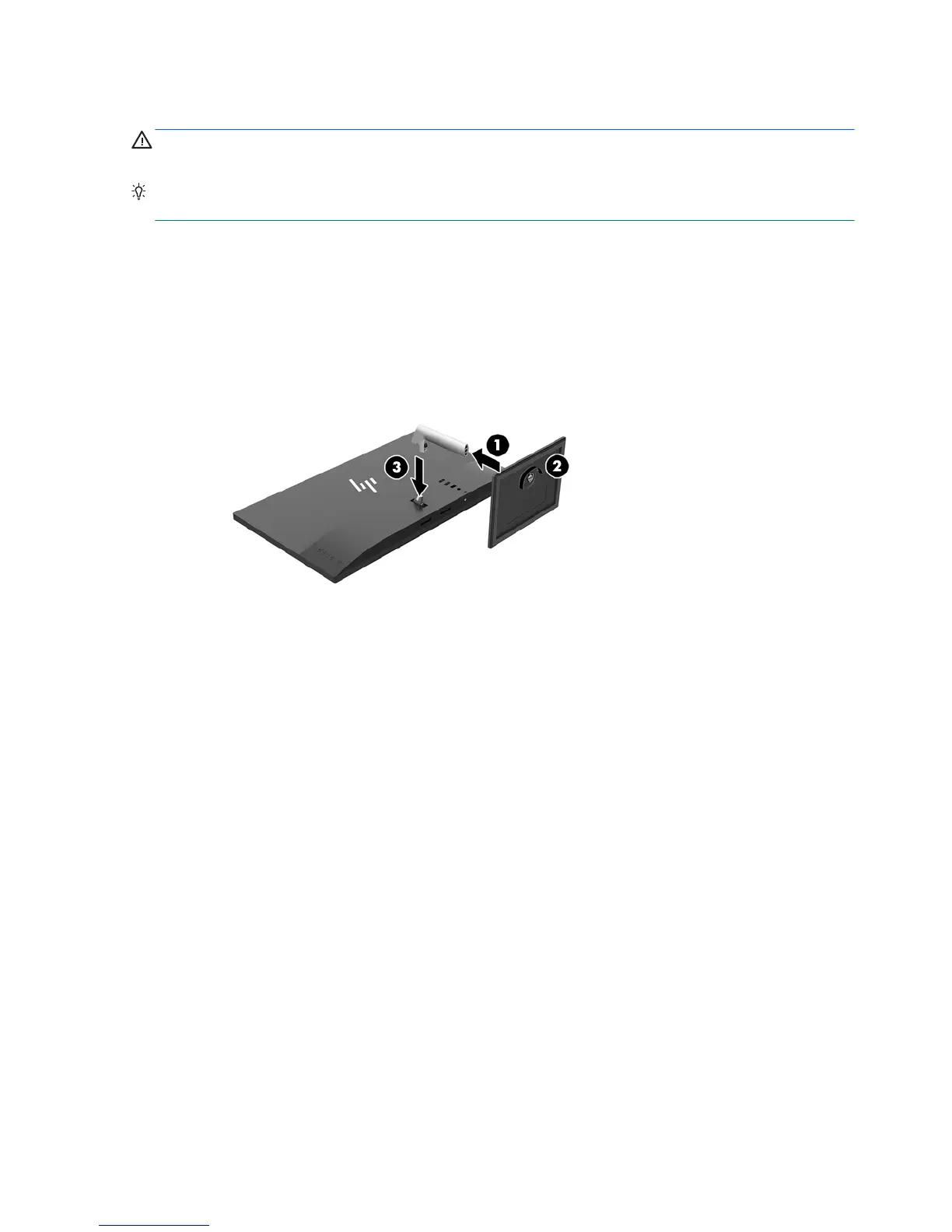
1. Lift the monitor from its box and place it facedown on a at surface covered by a clean, dry cloth.
2. Insert the pedestal (1) into the stand and tighten the captive screw (2) under the stand to secure the
pedestal.
3. Insert the pedestal into the slot (3) on the back of the monitor panel until it clicks securely into place.
6 Chapter 1 Getting Started


 To Next Page