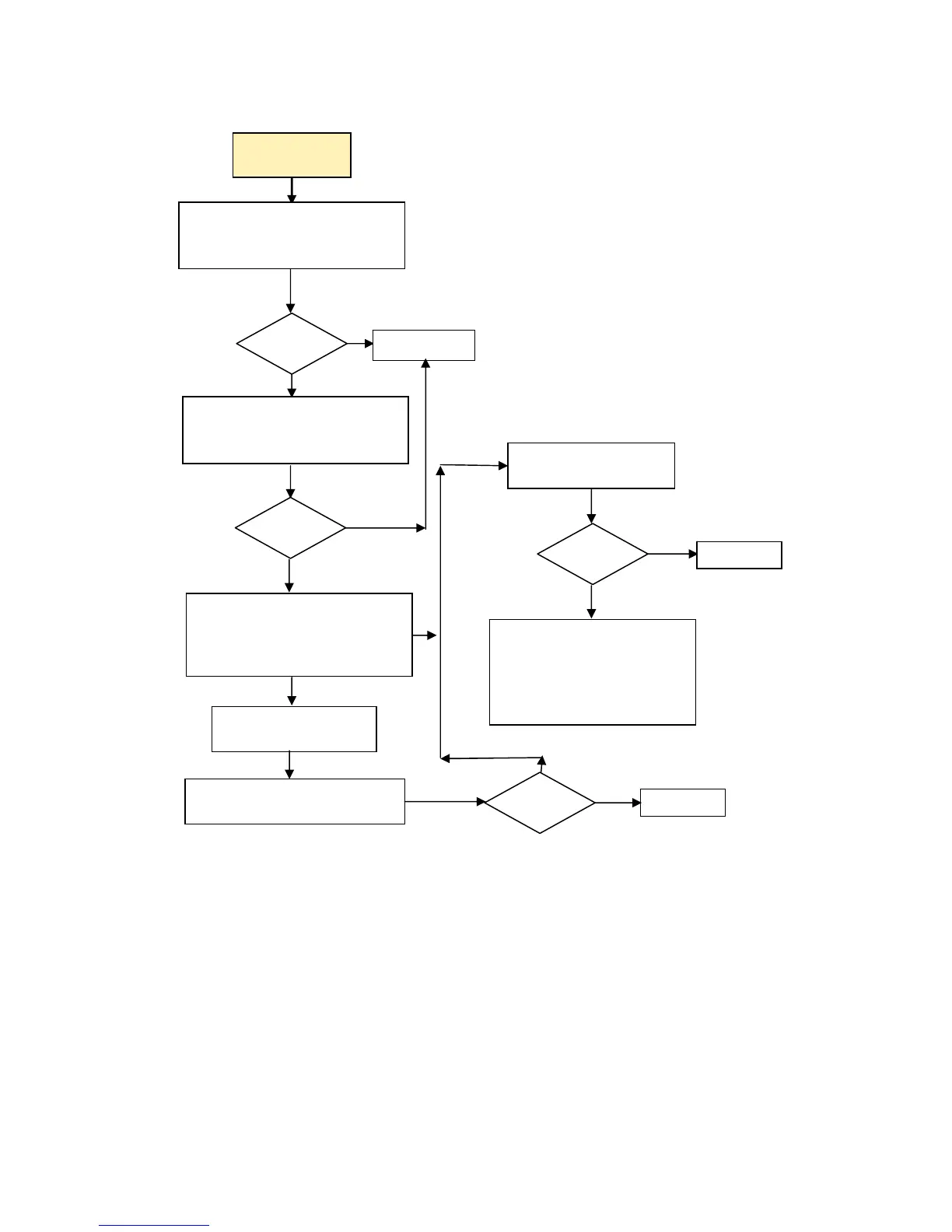
No Audio
No Audio
Audio?
Done
Turn up volume for internal
and external speakers.
Yes
Take the following actions:
1. Reseat speaker cable.
2. Replace speaker.
Note: Refer to Warranty for
coverage information.
Restore image using
the Recovery process.
Done
N
Is Volume Control or Media
Player muted? If so, change the
setting.
Are speaker connectors in
correct jacks? Try both audio
acks.
In Control Panel's Sound and
Audio, does the Audio tab
indicate whether the unit sees
its audio hardware?
Yes
Audio?
Disconnect any
external speakers
Audio?
Audio?
Yes
Done
N
Yes
N
N
Yes
N
Troubleshooting 27



 To Next Page