661947-161 1
English
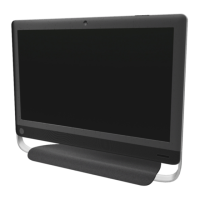
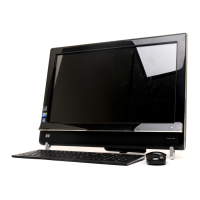
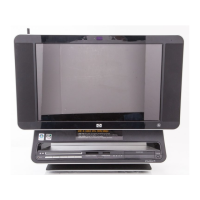
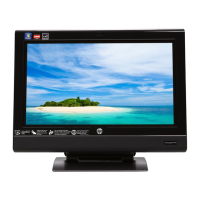
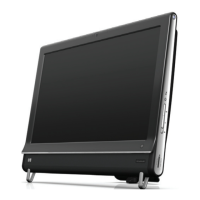
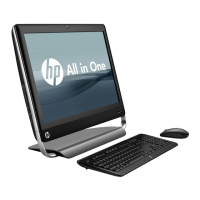
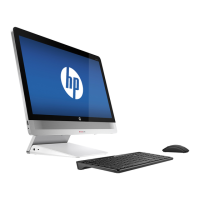
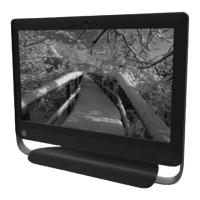
1 Match the part you received to the illustration on the next page.
2 Go to the page number indicated (→ #) for that part.
3 Complete only the part replacement steps in that section.
Español
1 Compare la pieza que usted recibió con l’ilustración en la página siguiente.
2 Vaya al número de la página indicada (→ #) para esa pieza.
3 Ejecute solamente los pasos para el reemplazo de la pieza en esa sección.
Português
1 Compare a peça que você recebeu com a ilustração na próxima página.
2 Vá para o número da página indicada (→ #) para esta peça.
3 Conclua apenas as etapas de substituição de peças nesta sessão.
Français
1 Repérez la pièce que vous avez reçue sur l’illustration de la page suivante.
2 Accédez à la page (→ #) de cette pièce.
3 Procédez uniquement à la procédure de remplacement détaillée dans cette
section
.
IMPORTANT: Follow these part replacement instructions:
WARNING:
Keep your hands away from the moving fan.
Keep fingers and tools clear of the fan when power is applied.
Never open the cover with the power cord attached or power
applied. You may damage your computer or be injured from
the spinning fan blades.
Avoid touching sharp edges inside the computer.
CAUTION: This product contains components that are easily damaged by
electrostatic discharge (ESD). To reduce the chance of ESD damage, work over a
non-carpeted floor, use a static dissipative work surface (like a conductive foam
pad), and wear an ESD wrist strap that is connected to a grounded surface, like the
metal frame of the computer.
IMPORTANT: A hard disk drive is extremely sensitive to shock and impact. Do not
bang or drop it. Do not touch the circuit board. Static electricity can damage the
drive.
The memory performance may vary due to different system configurations.
NOTE: Computer features may vary by model.
IMPORTANTE: Siga estas instrucciones para el reemplazo de piezas:
ADVERTENCIA:
Mantenga sus manos alejadas del ventilador en
funcionamiento.
Mantenga los dedos y las herramientas lejos del ventilador
cuando lo encienda.
Nunca abra la cubierta cuando el cable de alimentación esté
conectado o el ventilador esté encendido. Puede dañarlo o
lastimarse con las aspas en movimiento del ventilador.
Evite tocar los bordes filosos ubicados en el interior del
equipo.
PRECAUCIÓN: Este producto contiene componentes que se pueden dañar con
facilidad si se someten a descargas electrostáticas (ESD). Para reducir las
posibilidades de daños por ESD, trabaje sobre un piso no alfombrado, utilice una
superficie de trabajo estática disipativa (como una goma espuma conductora) y
use una muñequera contra ESD que esté conectada a una superficie con conexión
a tierra, como el marco de metal de su equipo.
IMPORTANTE: La unidad de disco duro es extremadamente sensible a los golpes.
No la golpee ni la deje caer. No toque la tarjeta de circuito. La electricidad estática
puede dañar la unidad.
El rendimiento de la memoria puede variar dependiendo de las configuraciones del
sistema.
NOTA: Las características del equipo pueden variar según el modelo.
IMPORTANTE: Siga estas instruções sobre substituição de peças:
AVISO:
Mantenha suas mãos longe do ventilador.
Mantenha os dedos e ferramentas longe do ventilador
quando o mesmo estiver ligado.
Nunca abra a tampa com o fio de alimentação conectado ou
quando estiver ligado. Você pode danificar seu computador
ou se machucar com as lâminas do ventilados.
Evite tocar em bordas pontiagudas dentro do computador.
AVISO: Este produto contém componentes que podem ser facilmente danificados
por descarga eletrostática (ESD - Electrostatic Discharge). Para reduzir o risco de
danos por ESD, não trabalhe sobre carpetes, use uma área de trabalho
antiestática (semelhante a um revestimento de espuma condutora), e utilize uma
pulseira própria para evitar descargas eletrostáticas que esteja conectada a uma
superfície aterrada, como a estrutura metálica do computador.
IMPORTANTE: A unidade de disco rígido é extremamente sensível a choques e
impacto. Não bata ou derrube a unidade. Não toque na placa de circuito.
Eletricidade estática pode danificar a unidade.
O desempenho da memória pode variar devido a diferenças de configuração no
sistema.
OBSERVAÇÃO: Os recursos do computador podem variar de acordo com o
modelo.
IMPORTANT : Suivez ces instructions relatives au remplacement des
pièces :
AVERTISSEMENT :
Gardez vos mains à l’écart du ventilateur en mouvement.
N’approchez pas vos doigts ou des outils du ventilateur
lorsque l’ordinateur est alimenté.
N’ouvrez jamais le capot lorsque le cordon d’alimentation est
branché ou lorsque l’ordinateur est sous tension. Vous
pourriez endommager votre ordinateur.
Évitez de toucher les bords tranchants à l’intérieur du châssis.
ATTENTION : Ce produit contient des composants qui peuvent être endommagés
facilement par des décharges électrostatiques. Pour diminuer les risques de
dommages par décharges électrostatiques, travaillez au-dessus d’un plancher non
revêtu de moquette, utilisez une surface de travail antistatique (un tapis conducteur
en mousse par exemple), et portez un bracelet antistatique relié à une surface mise
à la terre, comme le cadre métallique de l’ordinateur.
IMPORTANT : Un disque dur est extrêmement sensible aux chocs. Ne le laissez
pas tomber et ne le heurtez pas. Ne touchez pas la carte de circuit intégré.
L’électricité statique peut endommager le disque.
La capacité de mémoire peut varier selon les différentes configurations du système.
REMARQUE : Les caractéristiques de l’ordinateur peuvent varier selon le modèle.

 Need help?
 General



 To Next Page

