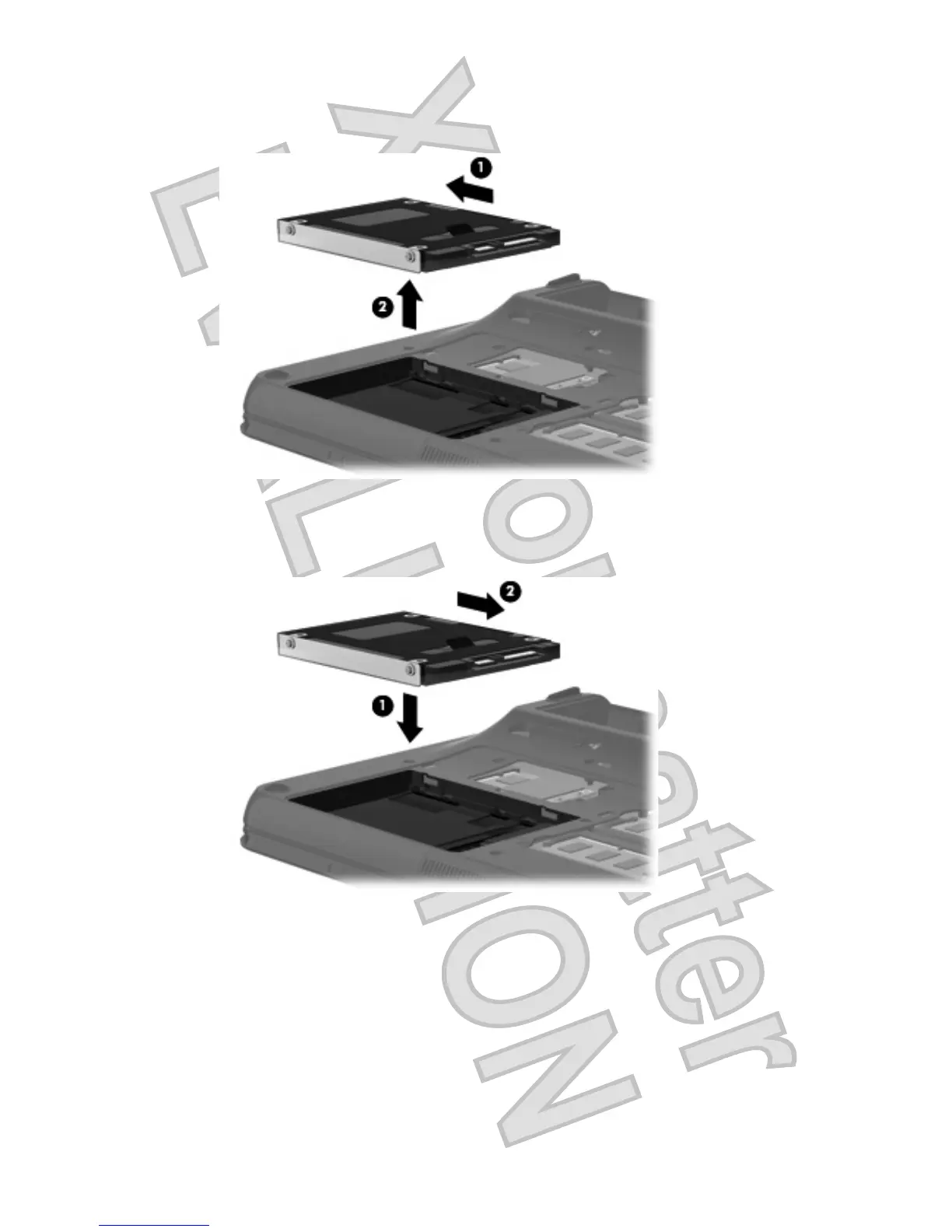
10. Lift the hard drive (2) out of the hard drive bay.
To install a hard drive:
1. Insert the hard drive into the hard drive bay (1).
2. Pull the hard drive tab (2) to the right until the hard drive snaps into place.
3. Align the tabs (1) on the hard drive cover with the notches on the computer.
4. Close the cover (2).
Inserting and removing a hard drive 59
Antenna House XSL Formatter (Evaluation) http://www.antennahouse.com/






 To Next Page