Need help?
Do you have a question about the HP V203p and is the answer not in the manual?
List the basic steps for removing components and materials requiring selective treatment.
Optional graphic illustration for complex disassembly steps with identified locations.
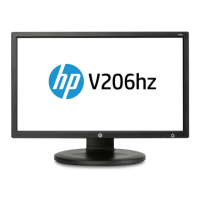
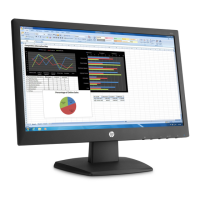
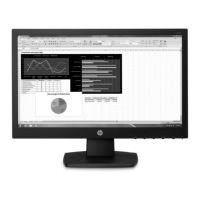
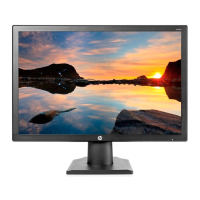
This document outlines the end-of-life disassembly instructions for the HP V203p 19.5-inch IPS Display, a monitor designed for general computing use. The primary function of this document is to guide recyclers and treatment facilities in the proper removal of components and materials that require selective treatment, as mandated by the EU directive 2002/96/EC on Waste Electrical and Electronic Equipment (WEEE). This ensures environmentally responsible disposal and recycling practices for the device.
The monitor's core function is to provide a visual interface for computer systems, displaying images and text with an IPS (In-Plane Switching) panel for wide viewing angles and consistent color reproduction. As a display device, its usage features revolve around its ability to connect to various computing devices, offering a visual output for tasks ranging from office work to multimedia consumption. The IPS technology enhances the user experience by maintaining image quality even when viewed from different positions, which is particularly beneficial in collaborative environments or for users who frequently shift their viewing angle. The 19.5-inch screen size provides a compact yet ample viewing area suitable for a variety of desktop setups, balancing screen real estate with physical footprint.
From a maintenance perspective, the document focuses on the end-of-life phase rather than routine user maintenance. It details the steps for disassembling the monitor to isolate specific components for recycling. This includes the removal of the base and hinge, which are typically user-attachable/detachable parts for initial setup or mounting. The process then moves to the internal components, such as the rear cover, mainframe, panel, keyboard, bezel, main board, and power board. These steps are crucial for recyclers to access and separate materials like printed circuit boards (PCBs), capacitors, and the liquid crystal display (LCD) panel itself. The instructions highlight the importance of identifying and removing components that contain potentially hazardous substances or materials that require specialized recycling processes. For example, PCBs with a surface greater than 10 sq cm, electrolytic capacitors larger than 2.5 cm in diameter or height, and the LCD panel (if its surface exceeds 100 sq cm) are specifically listed for selective treatment.
The disassembly process is designed to be straightforward, requiring common tools such as a "+" type screwdriver and a hexagonal nut screwdriver for DVI and D-SUB connectors. The instructions are presented in a step-by-step format, beginning with external components and progressing to internal circuitry. This methodical approach ensures that all relevant parts are identified and removed efficiently. The document also includes visual aids, such as figures with arrows and circles, to clearly indicate the location of screws, latches, and connectors, simplifying the process for the disassembler. For instance, the removal of the base involves pressing two sides simultaneously and pulling it out, while the hinge is removed by pressing a button. The rear cover removal requires unscrewing and opening latches, followed by disconnecting the keyboard. Further steps involve tearing out tapes, removing screws, and disconnecting connectors to separate the mainframe and panel, and subsequently to remove the main board and power board. These detailed instructions are vital for ensuring that the monitor's various materials, from plastics to metals and electronic components, are properly segregated for recycling or safe disposal, minimizing environmental impact.
The emphasis on selective treatment underscores the monitor's design consideration for its entire lifecycle, including its end-of-life. While the user experience during the product's active life is centered on its display capabilities and connectivity, the end-of-life instructions reveal the underlying material composition and the manufacturer's commitment to environmental responsibility. The inclusion of specific quantities for items requiring selective treatment, such as three printed circuit boards and one liquid crystal display, provides practical information for recycling facilities to plan their processes. The absence of certain components, like batteries, mercury-containing parts, gas discharge lamps, and plastics with brominated flame retardants (over 25 grams), also indicates design choices that may reduce the environmental burden or simplify recycling for this particular model. This document, therefore, serves as a critical guide for the sustainable management of the HP V203p 19.5-inch IPS Display once it reaches the end of its functional life.
 General
| Screen Size | 19.5 inches |
|---|---|
| Panel Type | TN |
| Resolution | 1600 x 900 |
| Aspect Ratio | 16:9 |
| Brightness | 200 cd/m² |
| Response Time | 5 ms |
| Contrast Ratio | 600:1 |
| Viewing Angle | 90° horizontal, 65° vertical |
| Input Connector | VGA |
| Power Consumption | 14 W (typical), 0.3W (standby) |
| Weight | 5.5 lbs |

 To Next Page