EasyManua.ls Logo

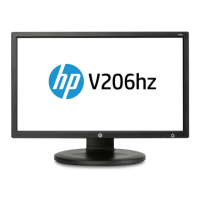
HP V206hz - User Manual

HP V206hz
83 pages
Go to English
Print Icon
To Next Page IconTo Next Page
Loading...
Não deixe de ler a seção Cuidados importantes antes de utilizar o produto. Mantenha o Guia
do usuário em um local de fácil acesso, para futuras consultas. Observe a etiqueta colada na
tampa de trás e passe essas informações ao revendedor quando solicitar manutenção.
V206hz Monitor LCD
1600 x 900@60Hz
Resolução Ideal:
Resolución óptima
Optimum Resolution:
(c) 2011 Hewlett-Packard Development Company, L.P.
First Edition, February 2011.
50,8cm
20,0”
Guia do Usuário
Guía del Usuario
User Guide
N
o olvide leer la sección Precauciones importantes antes de utilizar el producto. Conserve el
guía del usuário en un sitio accesible como referencia para el futuro. Consulte la etiqueta que
aparece en la parte posterior del disco y facilite la información que aparece a su distribuidor
cuando necesite algún servicio.
Make sure to read the Important Precautions before using the product. Keep the User's Guide
in an accessible place for future reference. See the label attached on the product and give the
information to your dealer when you ask for service.
Model Name
HSTND-4031-G

Questions and Answers

  • M
    Meagan ReyesAug 12, 2025
    What to do if no image appears on my HP Monitor?
    • M
      mercedes52Aug 12, 2025
      If no image appears on your HP Monitor, ensure the power cord is properly connected to the power outlet and that you have pressed the Power button. If the display is in power saving mode, move the mouse or press any key on the keyboard. Also, verify that the PC is turned on. If you see a message indicating that the signal from the PC (video card) is out of the display's frequency range, consult the 'Specifications' section of this manual and reconfigure your display. Finally, check the signal cable between your PC and the display.
  • N
    Nicholas WardAug 21, 2025
    What to do if I see an "OSD LOCKED" message on my HP Monitor screen?
    • T
      Teresa FigueroaAug 21, 2025
      If you see an "OSD LOCKED" message on your HP Monitor screen, unlock the OSD controls by pushing the MENU button for several seconds until the message “OSD UNLOCKED” appears.
  • G
    georgebriannaAug 31, 2025
    How to fix incorrect display image on HP Monitor?
    • R
      Rebecca MartinezAug 31, 2025
      To fix an incorrect display image on your HP Monitor, check if the signal cable is properly connected, tightening it with a screwdriver if necessary. Ensure the video card is properly inserted in its slot. Set the color setting higher than 24 bits (true color) via Control Panel - Settings. Also, verify that the screen is not set to interlace mode; if it is, change it to the recommended resolution.

HP V206hz Specifications

General IconGeneral
BrandHP
ModelV206hz
CategoryMonitor
LanguageEnglish

Related product manuals