Hardware Setup8
2.1.1 Ventilation
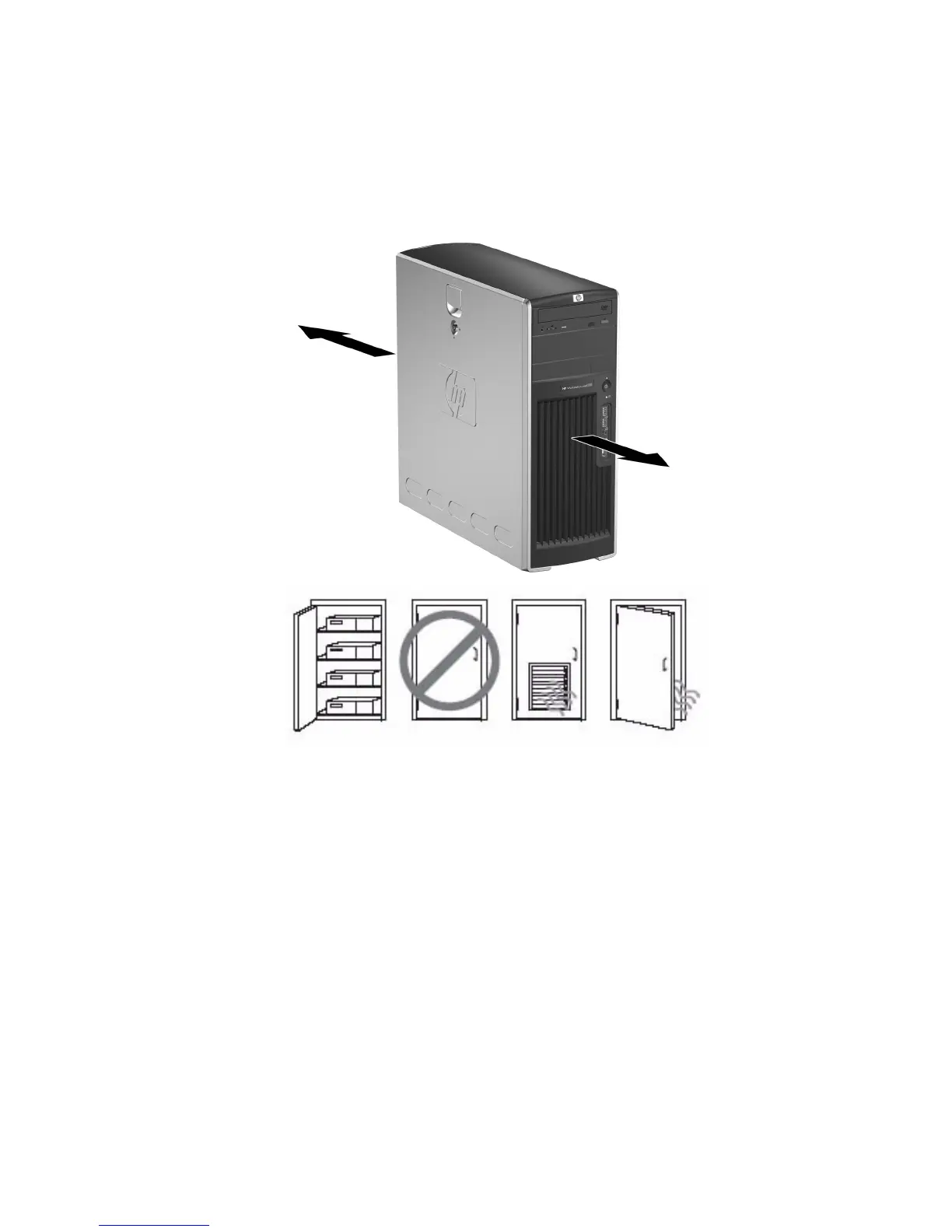
Proper ventilation for your system is very important. Refer to the following notes and illustrations to properly position your
system for maximum airflow
• Place the computer in an area that is relatively cool with adequate ventilation.
• Operate the computer on a sturdy, level surface. Leave at least 10.2-cm (4-inch) clearance on the front and rear
sides of the computer to permit the required airflow.
• Never restrict the incoming or outgoing airflow of the computer by blocking any vents or air intakes. Do not
place the keyboard, with the keyboard feet down, directly against the front of the desktop unit as this also restricts
airflow.
4” Clearance
in Front
4” Clearance
in Back


 To Next Page
 Loading...