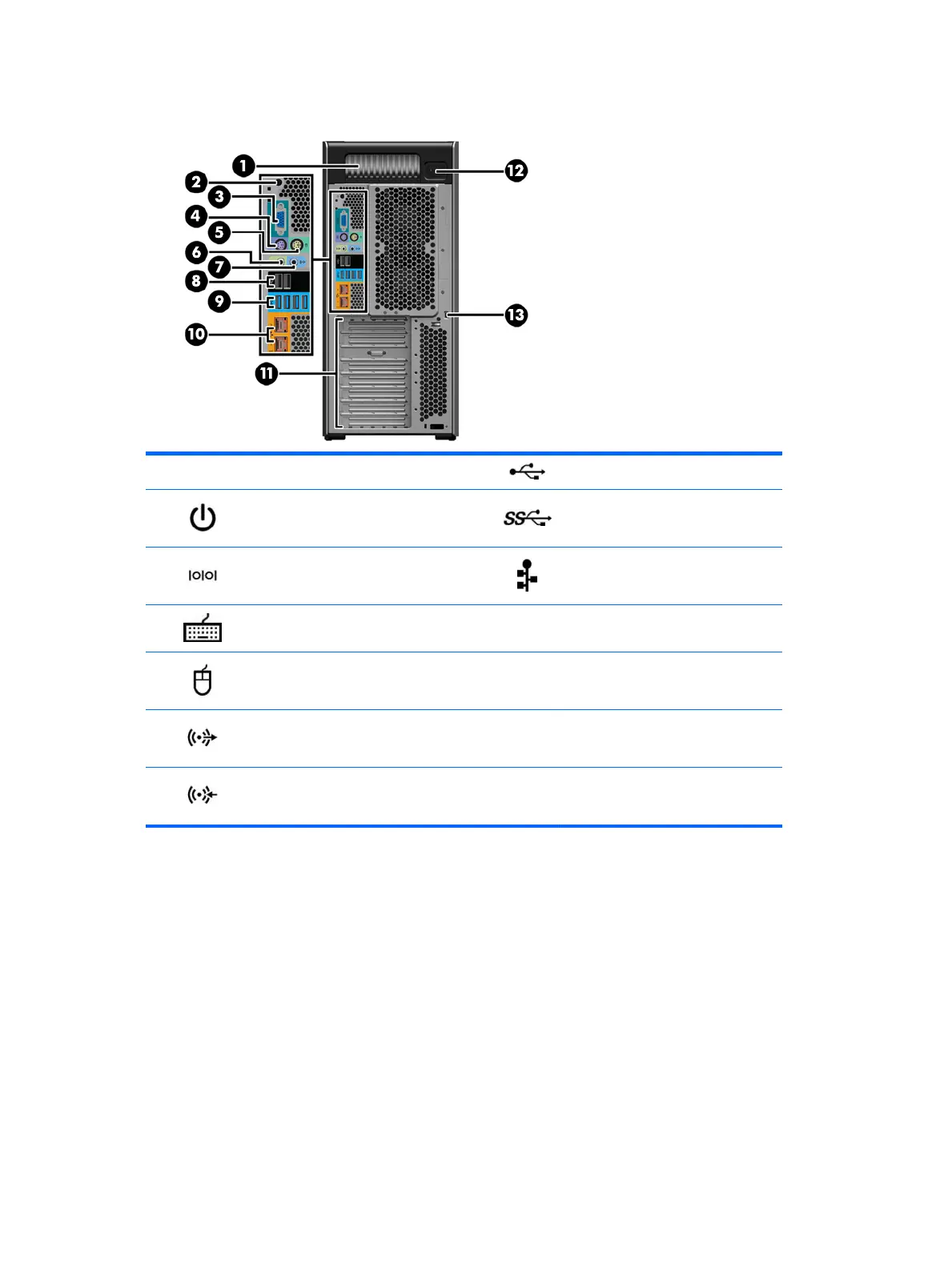
HP Z840 Workstation rear panel components
1 Power supply Built-In Self-Test (BIST) LED 8 USB 2.0 ports (2, black)
2 Rear power button 9 USB 3.0 ports (4, blue)
3 Serial connector (teal blue) 10
Network jacks (2, orange)
Bottom connector is AMT enabled
4 PS/2 keyboard connector (purple) 11 PCIe card slots
5 PS/2 mouse connector (light green) 12 Power cord connector
6 Audio line-out jack (green) 13 Security slot
7 Audio line-in jack (blue)
16 Chapter 1 Hardware overview



 To Next Page
 Loading...