TP801/TP805/TP806 User Manual
www.hprt.com 22
4.9.2 The driver installation instruction of Ethernet and Wi-Fi
1) Install printer driver program just as USB installation.
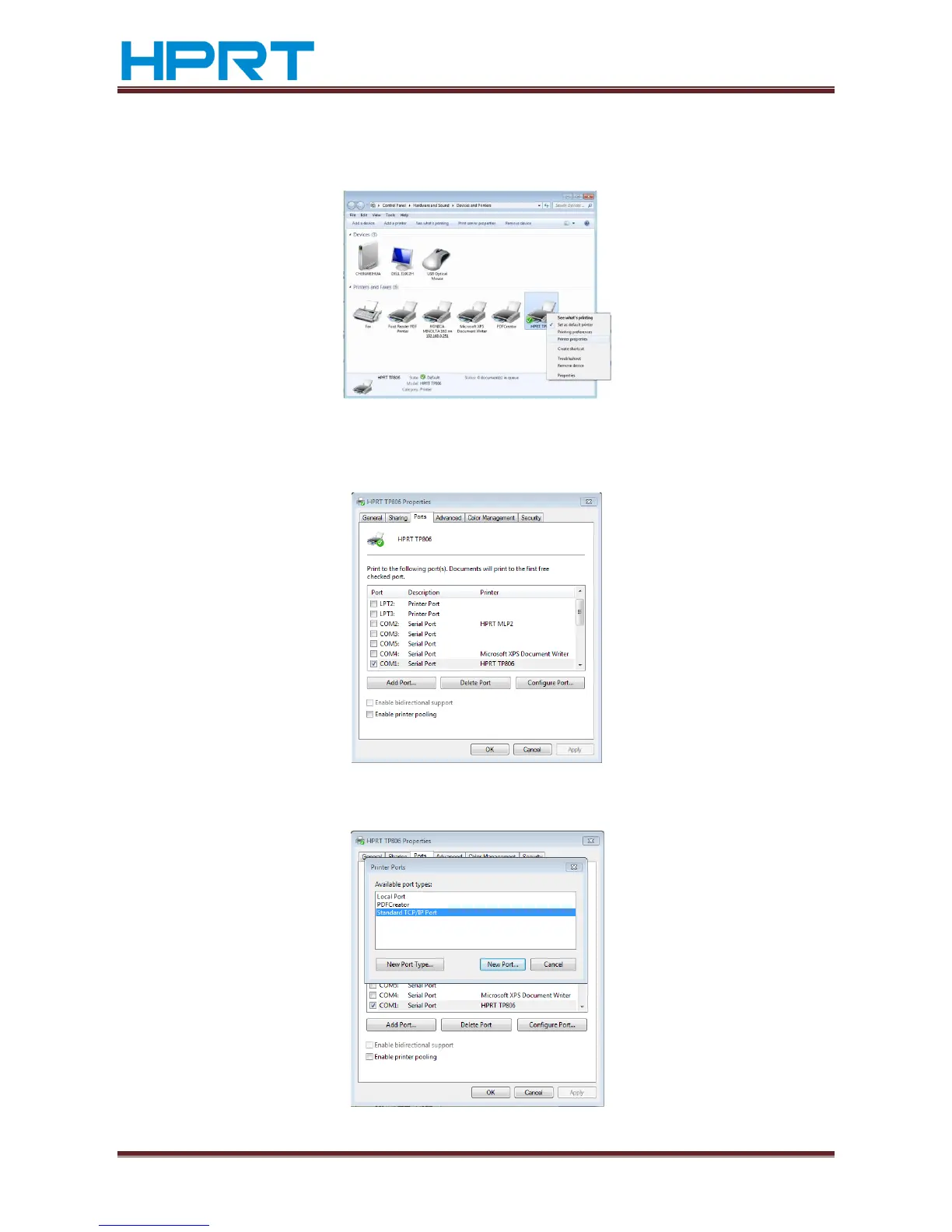
2) Click “Control Panel”→”Hardware and Sound”→”Devices and Printers”.
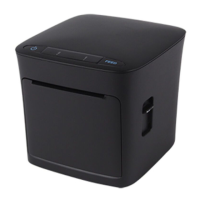
3) Right click “HPRT TP806” and choice “Printer properties”, click “Ports”,choice”COM1”,
Click “Add Port…” button.
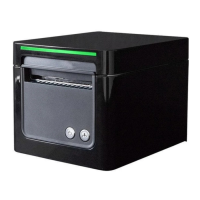
4) Choice “Standard TCP/IP Port” and click “New Port…” button.


 To Next Page