EasyManua.ls Logo

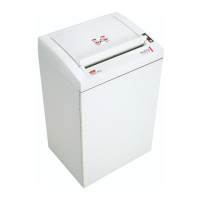
HSM 411.2 - User Manual

HSM 411.2
8 pages
Print Icon
To Next Page IconTo Next Page
Loading...
HSM 411.2
BETRIEBSANLEITUNG
AKTENVERNICHTER
OPERATING INSTRUCTIONS
PAPER SHREDDER
NOTICE D‘UTILISATION
DESTRUCTEUR DE DOCUMENTS
MANUALE OPERATIVO
DISTRUGGIDOCUMENTI
INSTRUCCIONES DE SERVICIO
DESTRUCTORA DE DOCUMENTOS
INSTRUÇÕES DE OPERAÇÃO
DESTRUIDORA DE DOCUMENTOS
GEBRUIKSAANWIJZING
PAPIERVERNIETIGER
BRUGSVEJLEDNING
MAKULERINGSMASKINE
BRUKSANVISNING
DOKUMENTFÖRSTÖRARE
KÄYTTÖOHJE
PAPERINSILPPURI
1.565.999.102 – 0603
http://www.monomachines.com

Questions and Answers

  • G
    George GibsonAug 8, 2025
    What to do if my HSM Paper Shredder has a paper jam?
    • A
      alexis81Aug 9, 2025
      If your HSM Paper Shredder experiences a paper jam: * Pull the paper out of the paper feeding opening, especially if you have fed in too much paper. * Press the dashed arrow button to reverse the shredding direction. * Separate the paper stack and try feeding the paper again. * Restart the shredding process using the green arrow button or by using the light barrier (paper feed).
  • E
    Elizabeth DominguezAug 13, 2025
    Why is the red LED on my HSM Paper Shredder membrane keyboard lit?
    • T
      Teresa CarlsonAug 13, 2025
      The red LED on the membrane keyboard of your HSM Paper Shredder lighting up indicates that the electric motor has overheated. Allow the paper shredder to cool down for approximately 15 to 20 minutes.
  • M
    Mary PetersonAug 18, 2025
    What to do if the bag for shredded material is full in my HSM Paper Shredder?
    • S
      Sharon ScottAug 19, 2025
      If the bag for shredded material is full in your HSM Paper Shredder: * Insert a new bag. * Press the foot pedal in the lower part of the cabinet to shake up the collector sack and reduce the volume of the particles.
  • E
    Elizabeth JarvisAug 25, 2025
    What to do if the front door or inspection door is open on my HSM 411.2 Paper Shredder?
    • E
      Erica HerringAug 25, 2025
      If the front door or the inspection door on top of your HSM Paper Shredder is open, close both the front door and the inspection door. After closing the door, restart the shredder using the green button.
  • J
    Jennifer GriffithAug 28, 2025
    How to fix a paper jam in my HSM 411.2?
    • T
      tiffanygarrisonAug 28, 2025
      If your HSM Paper Shredder has a paper jam because you fed in too much paper, pull the paper out of the paper feeding opening. Alternatively, you can separate the paper stack and feed the paper again. As another option, allow the paper shredder to cool down for approximately 15 to 20 minutes.
  • J
    Jonathon DiazSep 2, 2025
    Why won't my HSM 411.2 start when the door is open?
    • H
      Heather KingSep 2, 2025
      If the front door or inspection door on the top of your HSM Paper Shredder is open, close the front door and inspection door. After closing the door of the document shredder, restart it using the green button.

Summary

Proper Use and Warranty

Machine Components

Details the various parts of the shredder with numbered labels.

Safety Instructions

Provides critical safety guidelines for operating the shredder and avoiding injury.

Installation

Inserting Shredded Material Bag

Step-by-step guide on how to properly insert the collection bag for shredded material.

Start-up Procedures

Powering On the Shredder

Instructions for powering on the paper shredder and understanding status indicators.

Shredding Paper

Explains the process of feeding paper and how the automatic operation works.

Shredding Non-Paper Media

Instructions for shredding credit cards, CDs, discs, or DAT cassettes by cutting type.

Powering Off the Shredder

Instructions for powering off the paper shredder using the main switch.

Troubleshooting Guide

Paper Jam Resolution

Steps to resolve issues when the paper shredder jams or material is not fully ejected.

Overheated Electric Motor

Guidance for when the motor overheats and the shredder automatically shuts down.

Open Door Error Handling

Explains why the shredder stops if the front or inspection door is open.

Full Shredded Material Bag

Actions to take when the shredded material container is full, including reversing.

Maintenance and Care

Cleaning Procedures

Recommended procedures and materials for cleaning the shredder safely and effectively.

Restoring Cutting Performance

Steps to take when cutting capacity drops or noise increases, involving oiling the cutters.

Technical Data

Scope of Delivery

HSM 411.2 Specifications

General IconGeneral
DIN Security LevelP-4
Voltage230 V
Frequency50 Hz
Weight25 kg
Noise Level (idle)55 dB
Cutting TypeCross Cut

Related product manuals