Taking portraits or selfies
Use these features in Photo mode to capture great-looking portraits or selfies.
Bokeh mode
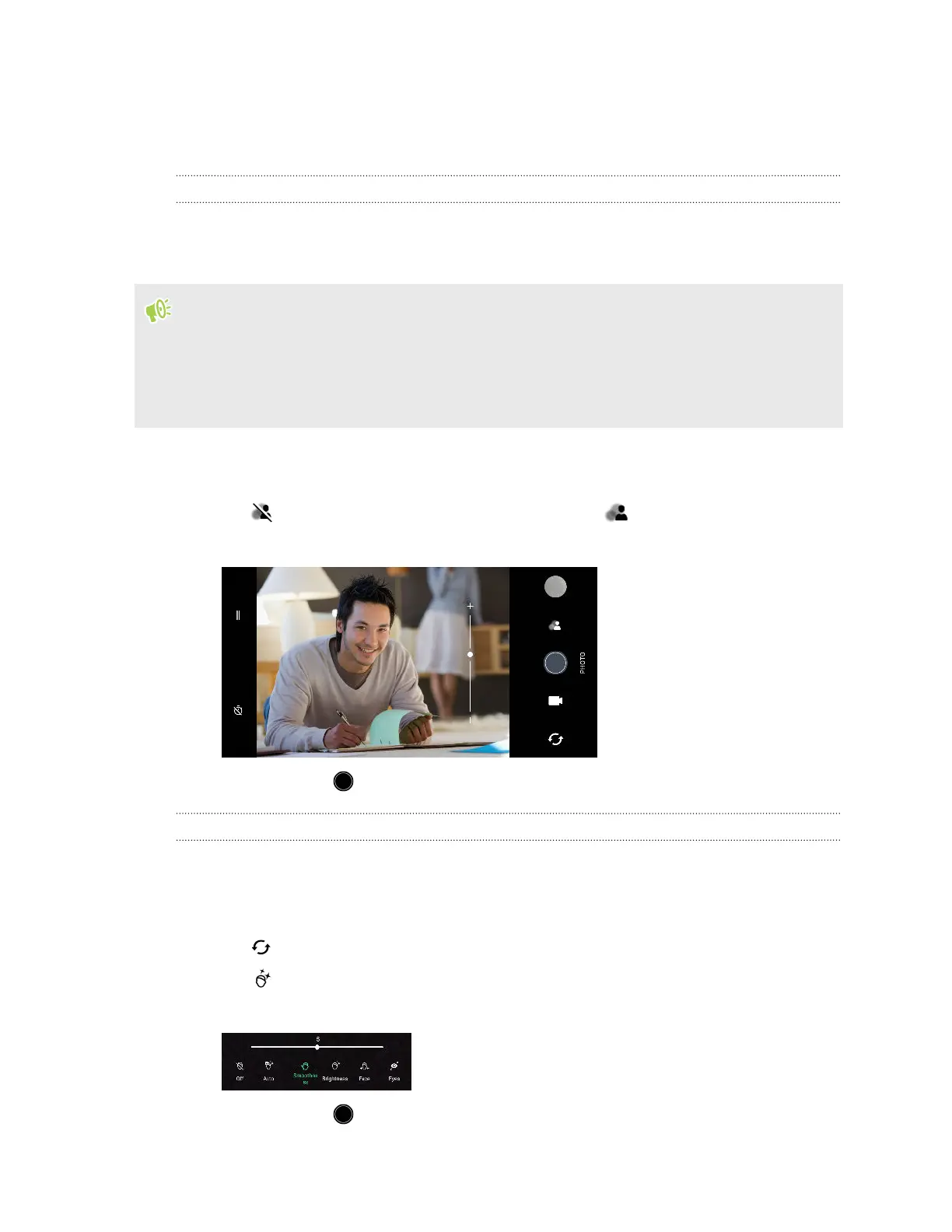
With Bokeh mode, you can take portrait shots with a nice blurred background. Blur the background
automatically, or manually adjust the blur level before taking the shot.
§ To get a nice blurred background in your shots, the ideal distance between you and your subject
is 50-200 cm (1 ft 8 in to 6 ft 8 in).
§ You need to be in a well-lit environment.
§ Some features such as HDR, zooming, and flash are not available in Bokeh mode.
1.
Switch to Photo mode, if you're not in this mode. See Choosing a capture mode on page 41 for
details.
2. Tap to turn on Bokeh mode. The icon then changes to .
3. Drag the slider to increase or decrease the blur level of the background.
4. When ready, tap .
Beauty Mode
Use Beauty Mode to apply real-time touch-ups such as skin smoothening, face slimming, and more.
1. Switch to Photo mode, if you're not in this mode. See Choosing a capture mode on page 41 for
details.
2. Tap to switch between the front and main cameras.
3. Tap to display the Beauty Mode options.
4. Tap each option, and then drag its slider to make your adjustments.
5. When ready, tap .
44 Taking photos and videos



 To Next Page