4. Tap to preview your trimmed video.
5. Tap Save copy.
The trimmed video is saved as a copy. The original video remains unedited.
FM Radio
Listen to FM radio stations on your phone without connecting to the Internet or incurring
additional cost.
You need to connect a headset to the audio jack of HTC Desire 20 pro. The FM Radio app uses
the headset as the FM radio antenna.
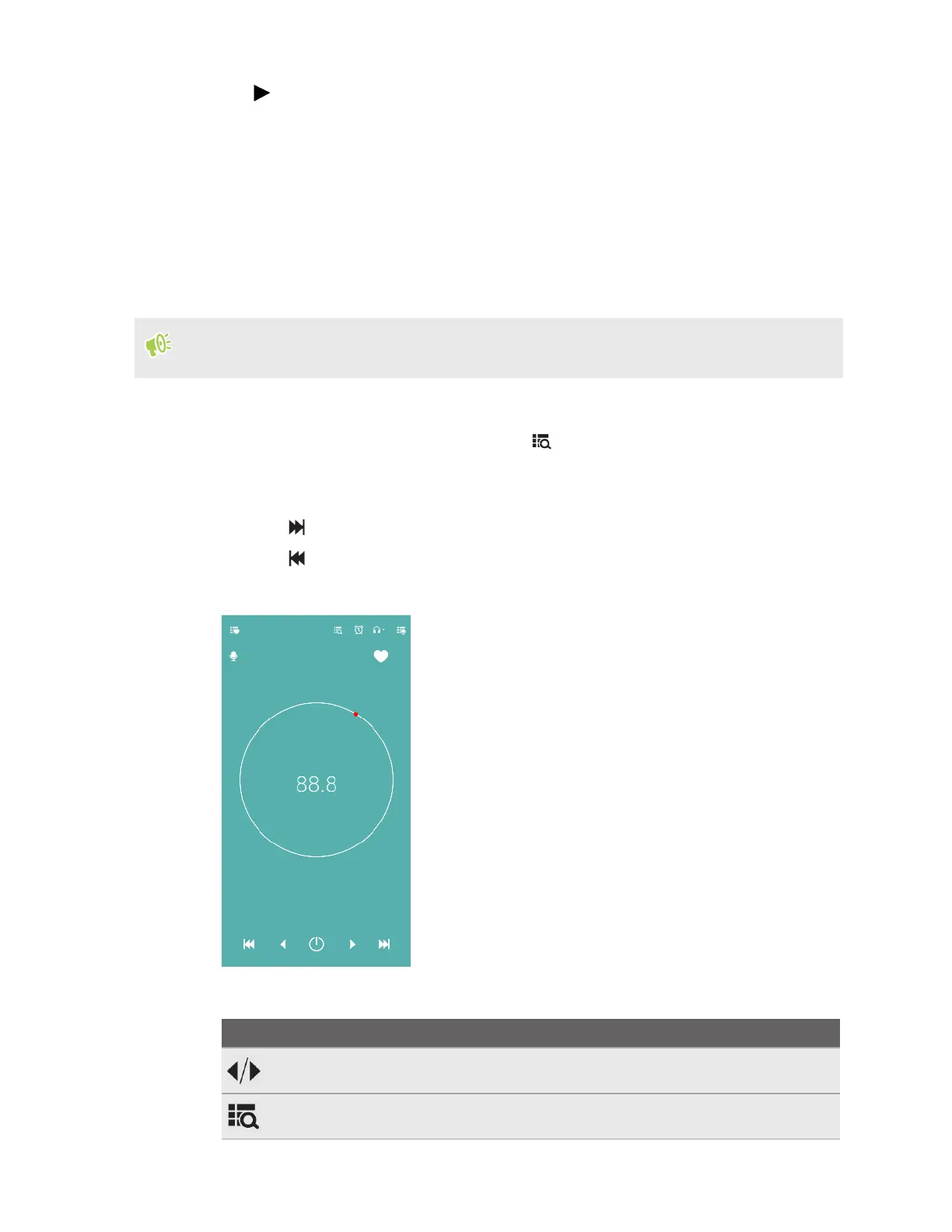
1. From the Home screen, swipe up and then find and tap FM Radio.
2. If this is your first time opening FM Radio, tap to scan for local FM stations. After
scanning, tap a station to listen to it.
3. To switch stations, do any of the following:
§ Tap to go to the next station.
§ Tap to go to the previous station.
§ Drag the red dot on the big circle.
4. While listening to a station, you can tap the following:
Icon Description
Fine tune the radio frequency.
See the list of preset stations. Tap a station to select it.
84 Using apps



 To Next Page