EasyManua.ls Logo

HTC DURATIQ X6 - User Manual

HTC DURATIQ X6
76 pages
Print Icon
To Next Page IconTo Next Page
Loading...
Original instructions
i
User Manual
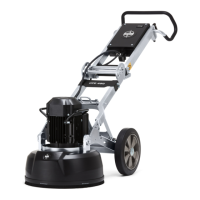
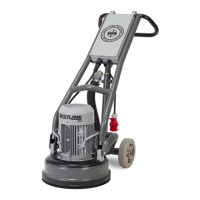
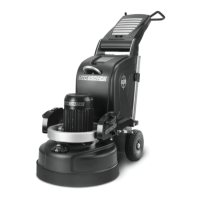
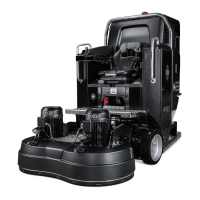
HTC DURATIQ
T6 / RT6 / X6 / RX6

Other manuals for HTC DURATIQ X6

Questions and Answers

  • M
    Michelle GibsonAug 29, 2025
    How to reset the emergency stop on my HTC DURATIQ X6 Floor Machine?
    • S
      Stephen NguyenAug 29, 2025
      To reset the emergency stop on your HTC Floor Machine, reset the emergency stop button. Check the remote control and reconnect the radio using the connection button.
  • S
    stephenblackAug 30, 2025
    What to do if there is a low water level in the tank of my HTC DURATIQ X6?
    • P
      Paul Kim MDAug 30, 2025
      If there is a low water level in the tank of your HTC Floor Machine, top up the water and check the level sensor.
  • A
    angel91Aug 30, 2025
    What causes my HTC Floor Machine to lose contact with other units?
    • Y
      yjacksonAug 30, 2025
      If your HTC Floor Machine loses contact with other units, the CAN bus signal may be broken. Check the cable connections on the connection panel.
  • O
    olivermarcAug 25, 2025
    What to do if my HTC Floor Machine will not start?
    • M
      Melissa GarciaAug 25, 2025
      If your HTC Floor Machine won't start, there are several potential causes: * A fault on the power supply: Check the voltage on the incoming phase/phases. * The power supply indication is not lit: Check the miniature circuit breaker F1. * The main circuit board is not lit: Check the fuse. * The standby LED on the control panel is not lit: Check fuses F2 and F8.
  • E
    Eric WilliamsSep 1, 2025
    What to do if the cooling flange for the frequency converter is overheated on my HTC DURATIQ X6?
    • J
      Joseph SanchezSep 1, 2025
      If the cooling flange for the frequency converter is overheated on your HTC Floor Machine, let the frequency converter cool down.
  • V
    Vanessa PorterSep 1, 2025
    What to do if the converter is overloaded on my HTC DURATIQ X6?
    • J
      joel62Sep 1, 2025
      If the converter is overloaded on your HTC Floor Machine, let the machine cool down.
  • J
    Jenna JohnsonSep 2, 2025
    What should I do if the grinding motor is overheated on my HTC DURATIQ X6 Floor Machine?
    • B
      Beverly OneillSep 2, 2025
      Let the motor cool down if the grinding motor is overheated on your HTC Floor Machine.
  • T
    Tyler MoranSep 3, 2025
    What does it mean if a fault code is shown in HMI of my HTC DURATIQ X6?
    • L
      Lawrence BrownSep 3, 2025
      If a fault code is shown in the HMI of your HTC Floor Machine, one of the machine's alarm systems has been activated.
  • B
    bradshawjuanSep 3, 2025
    How to check for a break in the grinding motor or cabling of my HTC DURATIQ X6?
    • B
      Brian RossSep 4, 2025
      To check for a break in the grinding motor or its cabling on your HTC Floor Machine, inspect the grinding motor cabling and measure the grinding motor.
  • D
    Dr. Jorge FullerSep 4, 2025
    How do I check if the grinding motor is short-circuited on my HTC Floor Machine?
    • P
      preedSep 4, 2025
      To check if the grinding motor is short-circuited on your HTC Floor Machine, inspect the grinding motor cabling and measure the insulation of the grinding motor.

Summary

Safety Guidelines

Understanding Safety Symbols

Explanation of warning, note, and tip symbols used in the manual.

Mandatory Safety Rules

General safety rules for machine operation and user responsibility.

Machine Safety Decals

Danger, Warning, and Caution Labels

Explanation of danger, warning, and caution decals on the machine.

Machine Description

Control Panel (HMI) Functions

Identification and function of controls on the machine's Human-Machine Interface.

Information Panel Display Explained

Explanation of indicators and data displayed on the machine's information panel.

Handling Machine Weights

Fitting Grinding Tools

Grinding Operations

Manoeuvring via Control Panel

Instructions for operating the machine using the control panel.

Grinding Procedures and Safety

Manual Grinding Procedure

Detailed steps for manual grinding operations using the control panel.

Emergency Stop Function

Explanation of the emergency stop switch function and reset procedure.

Accessories

Remote Control Operation

Detailed explanation of the remote control's buttons and functions.

Accessory Charging and Usage

Radio Control System

Remote Control Setup and Use

Instructions for connecting and using the remote control for machine operation.

GPS Tracker Setup

GPS Tracker Registration and Use

Wet Grinding Procedure

Maintenance and Repair

General Maintenance Safety

General safety precautions for maintenance and repair.

Troubleshooting Guide

General Troubleshooting

Introduction to fault descriptions, causes, and user actions.

Machine Fails to Start

Troubleshooting steps for a machine that fails to start.

Troubleshooting Common Issues

Fuse or Breaker Trips

Troubleshooting steps for frequent fuse or earth fault breaker trips.

Warnings and Error Messages

Understanding Warning Messages

Explanation of warning messages displayed on the machine and remote control.

Detailed Error Messages

Technical Data: DURATIQ T6

Technical Data: DURATIQ RT6

Technical Data: DURATIQ X6

Technical Data: DURATIQ RX6

HTC DURATIQ X6 Specifications

General IconGeneral
BrandHTC
ModelDURATIQ X6
CategoryFloor Machine
LanguageEnglish

Related product manuals